 Aeromexico Rewards
 Air Canada Aeroplan
 American Airlines AAdvantage
 Atmos Rewards (Alaska/Hawaiian)
 Azul Fidelidade
 Delta SkyMiles
 Etihad Guest
 Finnair Plus
 Flying Blue (AF/KL)
 GOL Smiles
 Jetblue TrueBlue
 Qantas Frequent Flyer
 SAS EuroBonus
 Turkish Miles&Smiles
 United MileagePlus
 Virgin Atlantic Flying Club
 Virgin Australia Velocity
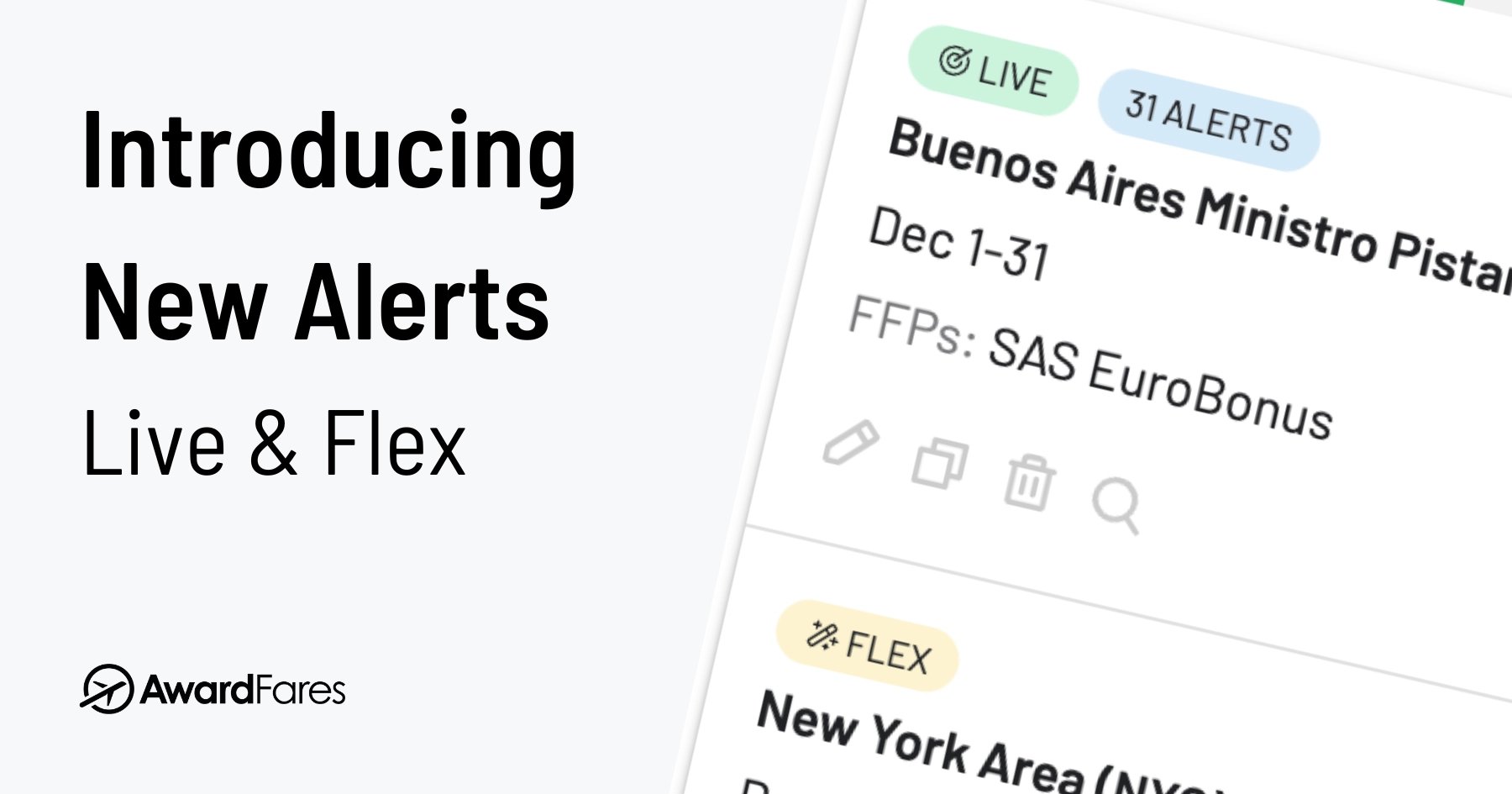
Finding an award seat often means repeating the same searches while you wait for availability to appear. AwardFares Alerts were originally designed to monitor a specific route and date. In August 2025, we redesigned them around two different ways people plan award travel.
Live Alerts are for a trip with specific routes and dates. Flex Alerts are for broader discovery when more than one destination, origin, or travel date could work.
Both types use the same alert editor and can include loyalty programs, cabins, passengers, airlines, stops, award prices, and other filters. The difference is how precisely you define the trip and how AwardFares finds a match.
Looking for the Setup Guide?
This article explains why we introduced Live and Flex Alerts and how they can work together. For current setup instructions, screenshots, and troubleshooting, use the complete guide to award flight alerts.
Why We Created Two Types of Alerts
Award travel does not always begin with the same kind of plan. Sometimes you know the exact trip you need. Other times, you care more about finding a premium cabin or using a particular loyalty program than reaching one airport on one date.
Trying to serve both cases with one alert creates the wrong tradeoff: either a rigid setup for flexible travelers or an overly broad setup for a trip that cannot move. Live and Flex Alerts keep those jobs separate.
Live Alerts for a Specific Trip
Use a Live Alert when you know which airports and dates matter. One setup can include multiple loyalty programs, origins, destinations, dates, or date ranges.
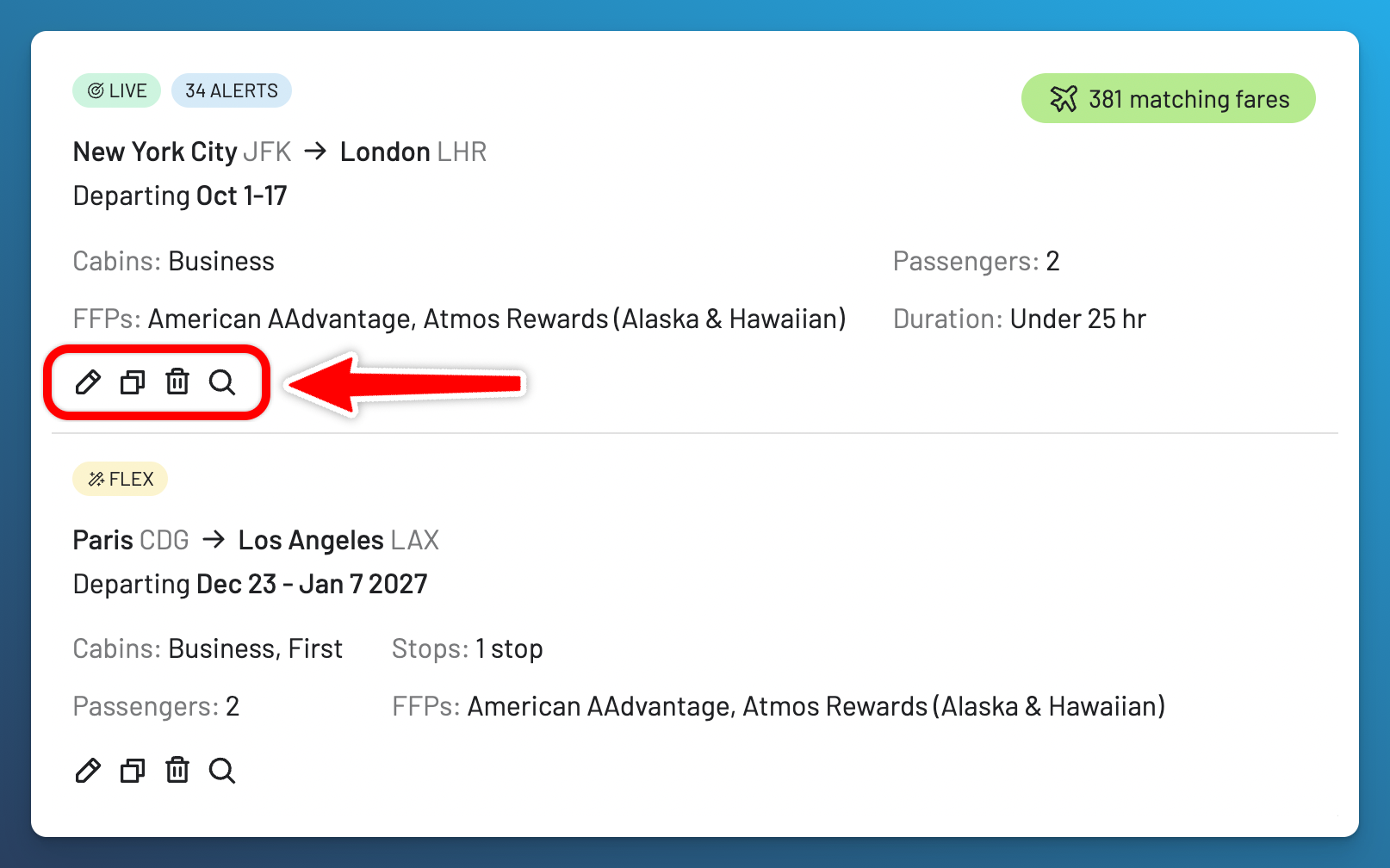
For example, you could monitor two Business Class seats from New York (JFK) to London Heathrow (LHR) between October 1 and 17. The editor shows how many Live Alerts the setup uses before you save it: each combination of loyalty program, unique route, and date counts separately.
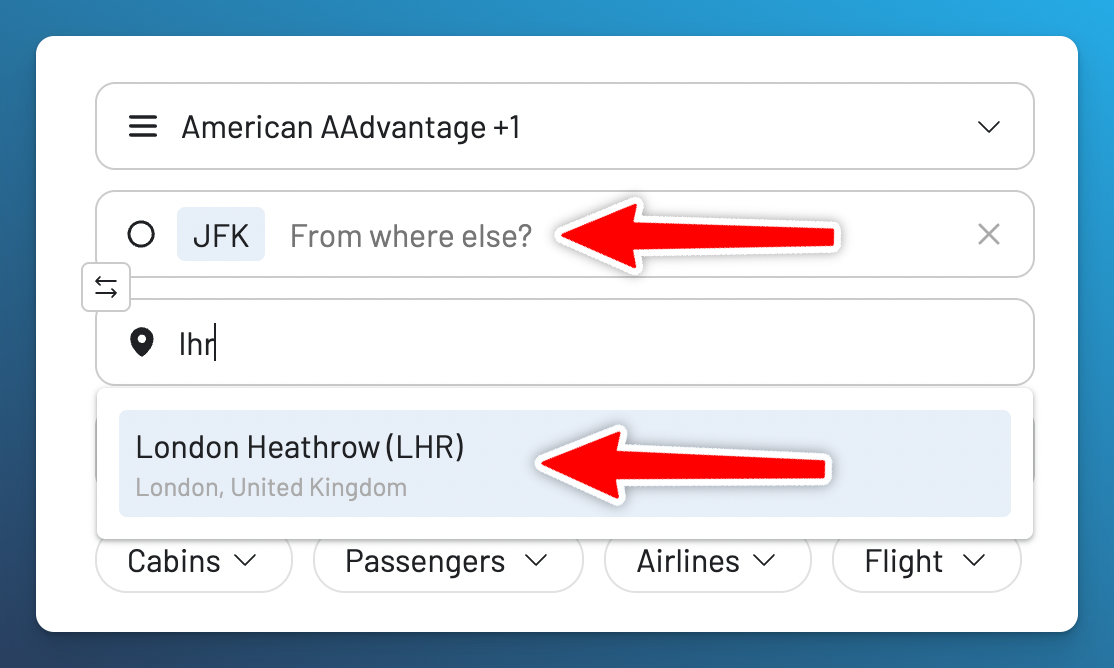
AwardFares starts looking for a new Live Alert within 12 hours and runs the scheduled search around once every 24 hours. Matching availability found when the same search is run manually can also trigger a notification. Live Alerts always send email and can also send push notifications when enabled.
Flex Alerts for Broader Discovery
Use a Flex Alert when part of the trip is open. You can select a broad region or country, use Anywhere for one endpoint, or use Anytime when any travel date could work.
For example, you could watch for Business or First Class availability from the Paris area to anywhere in the United States over the winter holidays.
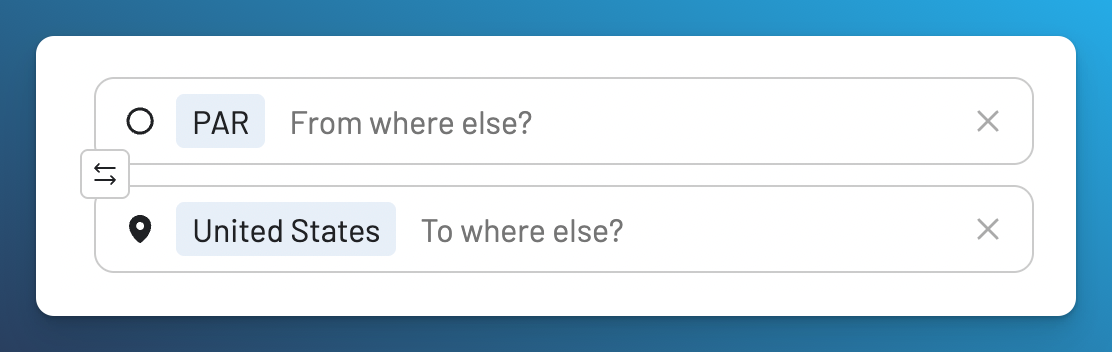
A broad geographic search can represent many airport pairs instead of one fixed route:
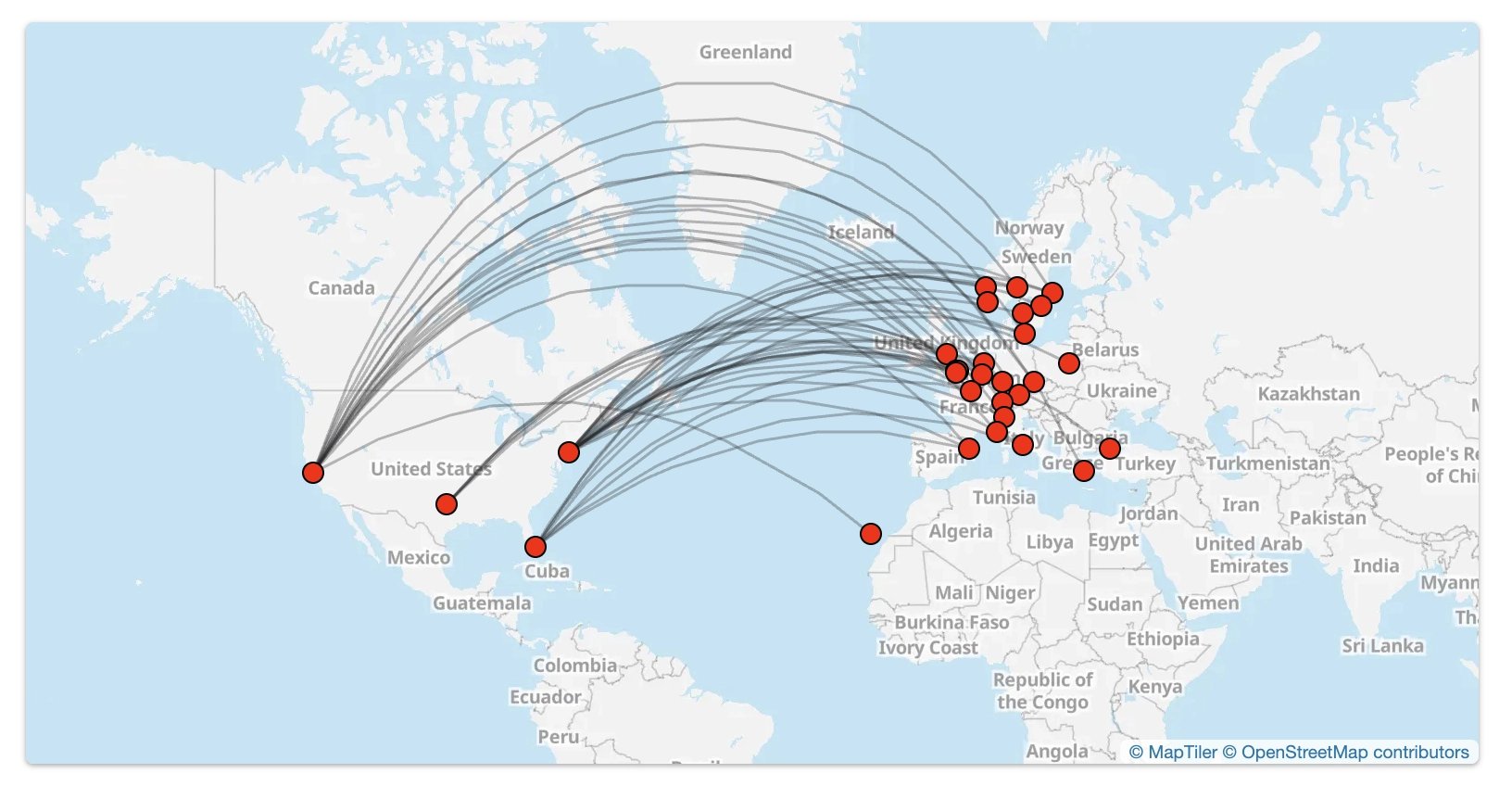
Flex Alerts do not run a dedicated search on a fixed schedule. They compare your criteria with award availability detected through searches across AwardFares. That makes them useful for discovery, but they may not find every possible seat—especially on routes that receive few searches.
Flex Alerts use push notifications only. Enable push on at least one device before relying on one.
A Layered Alert Strategy
Live and Flex Alerts can cover different parts of the same trip. Suppose your preferred trip is two Business Class seats from the US East Coast to Tokyo in April:
- Start with the trip you want most. Create a Live Alert for JFK to HND or NRT on the dates you can travel.
- Add realistic alternatives. If you can use EWR or BOS, add those origins and any additional dates that genuinely work. Check the usage summary before saving because every program, route, and date combination counts toward the Live Alert allowance.
- Keep a broader option open. Create a Flex Alert for the US East Coast to Japan in Business Class across a wider date range.
This gives the preferred trip focused monitoring while leaving room for an alternative you would actually book.
The Alerts page keeps both types together. You can edit, copy, remove, or search from an alert and review any Matching Fares already detected for its criteria.
Filters for the Flights You Would Book
Both alert types support filters for cabins, passengers, operating airlines, flight number, stops, airport changes, mixed cabins, departure and arrival times, total duration, layover duration, and saver criteria where available.
The Price filter can set a minimum award price, a maximum, or both. A maximum helps exclude awards that cost more points or miles than you are willing to spend. See the award price alerts guide for examples.
Avoid adding filters you do not need. Every additional condition narrows the matches an alert can return.
Current Live and Flex Alert Limits
Alerts are available on the Gold and Diamond plans.
| Plan | Live Alerts | Flex Alerts |
|---|---|---|
| Gold | 30 | 100 |
| Diamond | 500 | Unlimited |
The current allowance for your account appears in the alert editor. Check the pricing page for the latest plan details.
Watch the Launch Livestream
We introduced Live and Flex Alerts in a livestream with a product demonstration, setup examples, strategy discussion, and questions from the AwardFares community.
Start Using Live and Flex Alerts
Visit the Alerts product page for an overview of the feature. When you are ready to build an alert, follow the step-by-step Live and Flex Alerts guide for the current interface, examples, and notification requirements.
If you want to inspect award availability before creating an alert, start with Award Search or use the Broad Search guide to explore flexible routes.
Read More


Find & Monitor Award Flight Availability
Use AwardFares to instantly search multiple frequent flyer programs. Find available award seats, set up alerts to monitor availability, check flight schedules, view seat maps, and more—all in one place.