 Aeromexico Rewards
 Air Canada Aeroplan
 American Airlines AAdvantage
 Atmos Rewards (Alaska/Hawaiian)
 Azul Fidelidade
 Delta SkyMiles
 Etihad Guest
 Finnair Plus
 Flying Blue (AF/KL)
 GOL Smiles
 Jetblue TrueBlue
 Qantas Frequent Flyer
 SAS EuroBonus
 Turkish Miles&Smiles
 United MileagePlus
 Virgin Atlantic Flying Club
 Virgin Australia Velocity
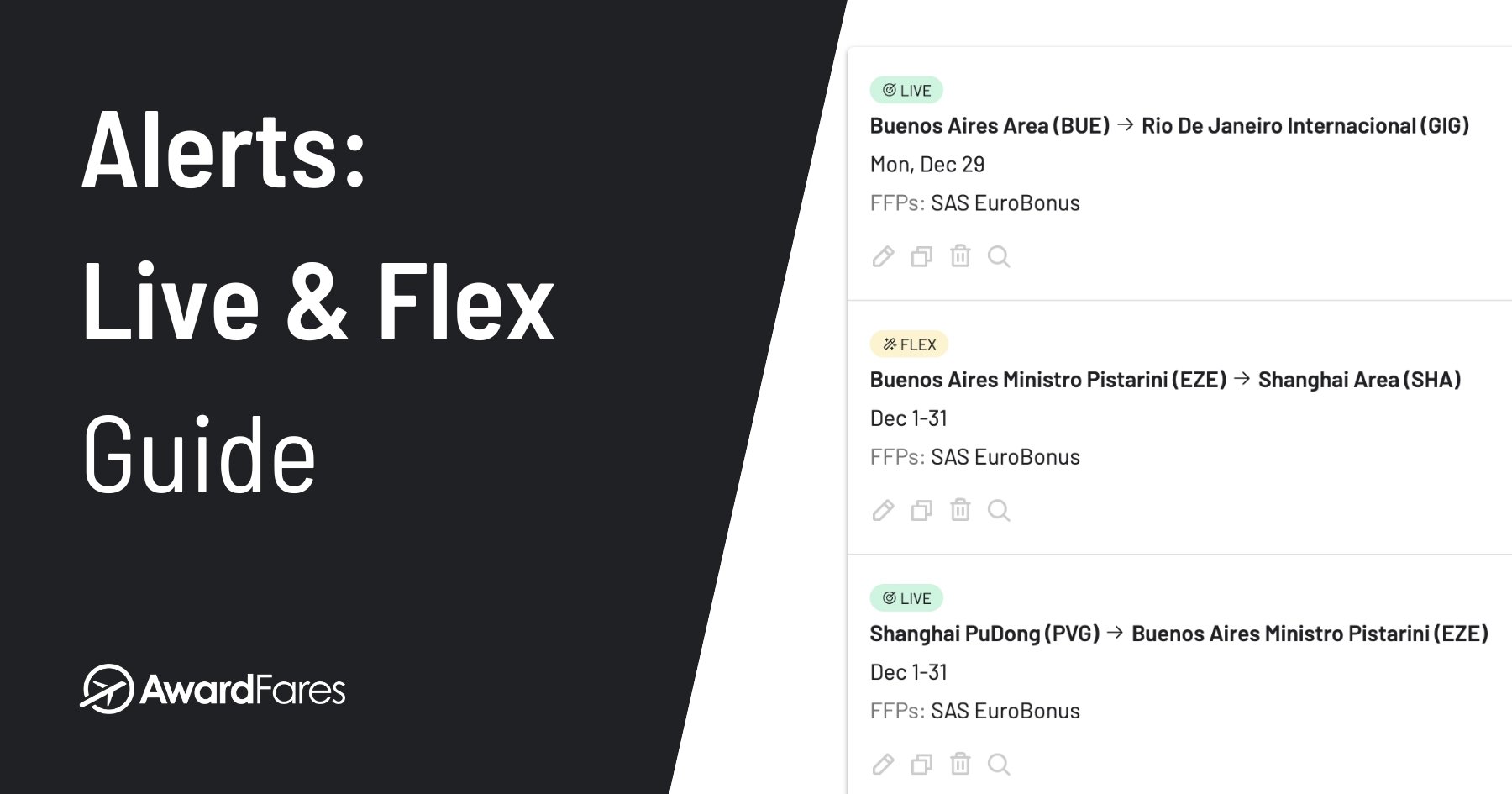
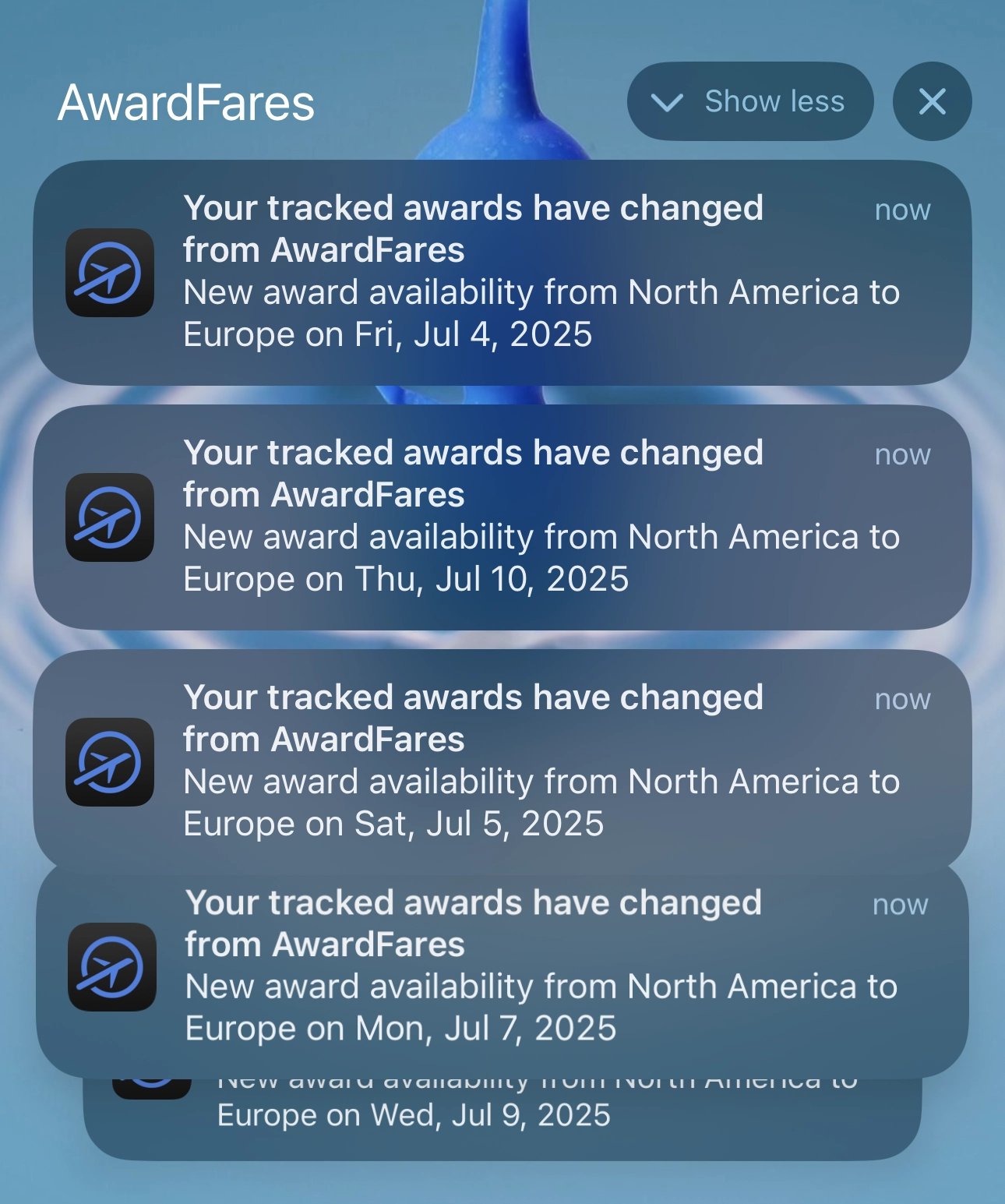
Award availability can appear after an airline releases more seats, another traveler cancels, or a loyalty program updates its inventory. Repeating the same search every day takes time and can still leave you late to a bookable award seat.
AwardFares award flight alerts help you track award availability for flights bookable with points or miles. You choose the loyalty programs, route, dates, passengers, cabin, and other filters. AwardFares then notifies you when detected availability matches those criteria.
There are two alert types. Live Alerts regularly search specific routes and dates. Flex Alerts watch for broader matches detected across AwardFares. This guide explains when to use each type and how to set up, manage, and improve your alerts.
Award Flight Alerts at a Glance
- Use a Live Alert when your origin, destination, and travel dates are specific.
- Use a Flex Alert when you can accept a broader region, an open endpoint, or a wider date range.
- Live Alerts send email notifications and can also send push notifications. Flex Alerts send push notifications only.
- Gold includes 30 Live Alerts and 100 Flex Alerts. Diamond includes 500 Live Alerts and unlimited Flex Alerts.
- An alert reports detected availability. It does not reserve a seat or guarantee that the loyalty program will still show it when you book.
What Is an Award Flight Alert?
An award flight alert tracks award seats that match a saved search. The search can include a loyalty program, origin, destination, travel date, cabin, number of passengers, operating airline, stops, minimum and maximum prices in points or miles, and other filters.
When AwardFares detects a matching result, the notification links back to the flight details in AwardFares. You can then review the itinerary and continue to the loyalty program or airline to book.
In this guide, award seat alerts always means alerts for award travel availability. It does not mean alerts about aircraft seat assignments.
You can first use Award Search to understand the available routes and dates. If the award seat you need is not available, save the criteria as an alert. For a summary of the feature and plan value, see the Alerts product page.
Live Alerts and Flex Alerts Compared
| Live Alerts | Flex Alerts | |
|---|---|---|
| Best for | A specific trip | Flexible discovery |
| Route | Specific origin and destination | Broad regions, Anywhere, or one open endpoint |
| Dates | One or more specific dates or date ranges | A date range or Anytime |
| How matches are found | AwardFares runs the saved search regularly and can also match availability found when the same search is run manually | AwardFares matches your criteria against availability detected through searches across the platform |
| Notification | Email, plus optional push | Push only |
| Coverage | Focused monitoring of the saved route and dates | Broad discovery that is not exhaustive for every possible route |
Choose a Live Alert for a Specific Trip
Use a Live Alert when you know the airports and dates that matter. One setup can include multiple loyalty programs, origins, destinations, dates, or date ranges. Each combination of loyalty program, route, and date counts toward the Live Alert limit shown before you save.
AwardFares starts looking for a new Live Alert within 12 hours. The scheduled search runs around once per 24 hours. A notification can also be triggered when someone runs the same search manually and matching availability is found.
For example, choose Live if you need two Business Class seats from New York (JFK) to London (LHR) during a specific date range.
If you are planning close to the start of an airline’s booking window, check the Award Release Dates guide before deciding when to create the alert.
Choose a Flex Alert for Broader Discovery
Use a Flex Alert when your trip can change. You can select broad regions, use Anywhere for one endpoint, or use Anytime when the date is open.
Flex Alerts do not run a dedicated search on a fixed schedule. They compare your criteria with award availability detected through searches across AwardFares. This supports broad discovery, but it may not find every possible award seat, especially for a route that receives few searches.
For example, choose Flex if you can travel from the Paris area to anywhere in the United States over the winter holidays.
That breadth is easier to see on a map: one region-to-region search can represent many airport pairs instead of a single fixed route.
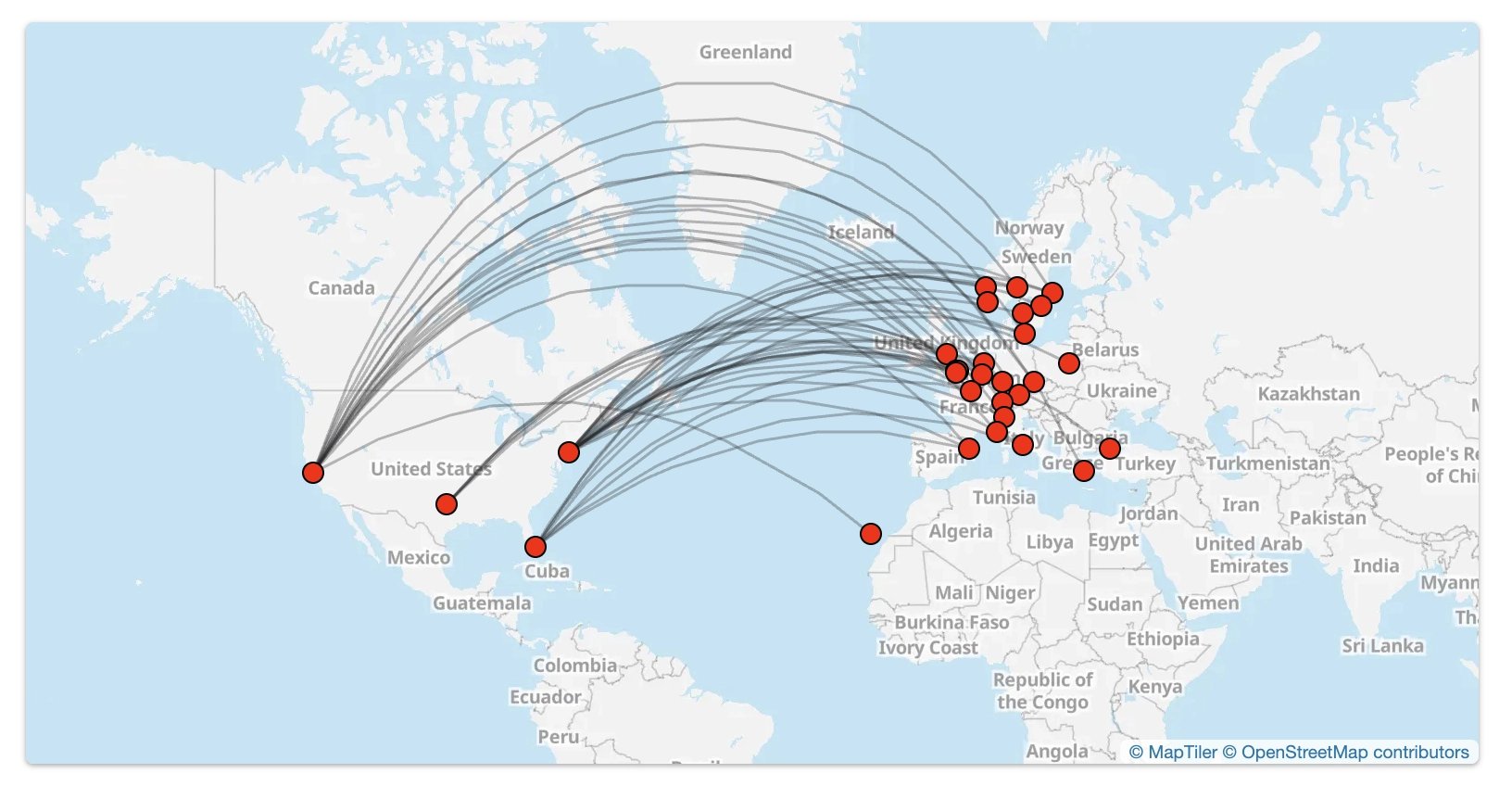
You can also use the Broad Search guide to explore detected availability before deciding which broad route criteria to save in a Flex Alert.
Which Alert Should You Choose?
For a trip that you must book on specific dates, use a Live Alert. Use Flex as a discovery tool when more than one route or date can work.
For the current support reference, see the difference between Live and Flex Alerts.
Current Alert Limits
Alerts are available on the Gold and Diamond plans.
| Plan | Live Alerts | Flex Alerts |
|---|---|---|
| Gold | 30 | 100 |
| Diamond | 500 | Unlimited |
The editor shows how many Live Alerts a setup will use because each loyalty program, unique route, and date combination counts separately. Pricing and limits can change, so confirm the latest terms on the pricing page before upgrading.
How to Set Up Live and Flex Award Flight Alerts
Both tutorials begin in the same place. After opening the alert editor, follow the Live path for a specific trip or the Flex path for broader discovery.
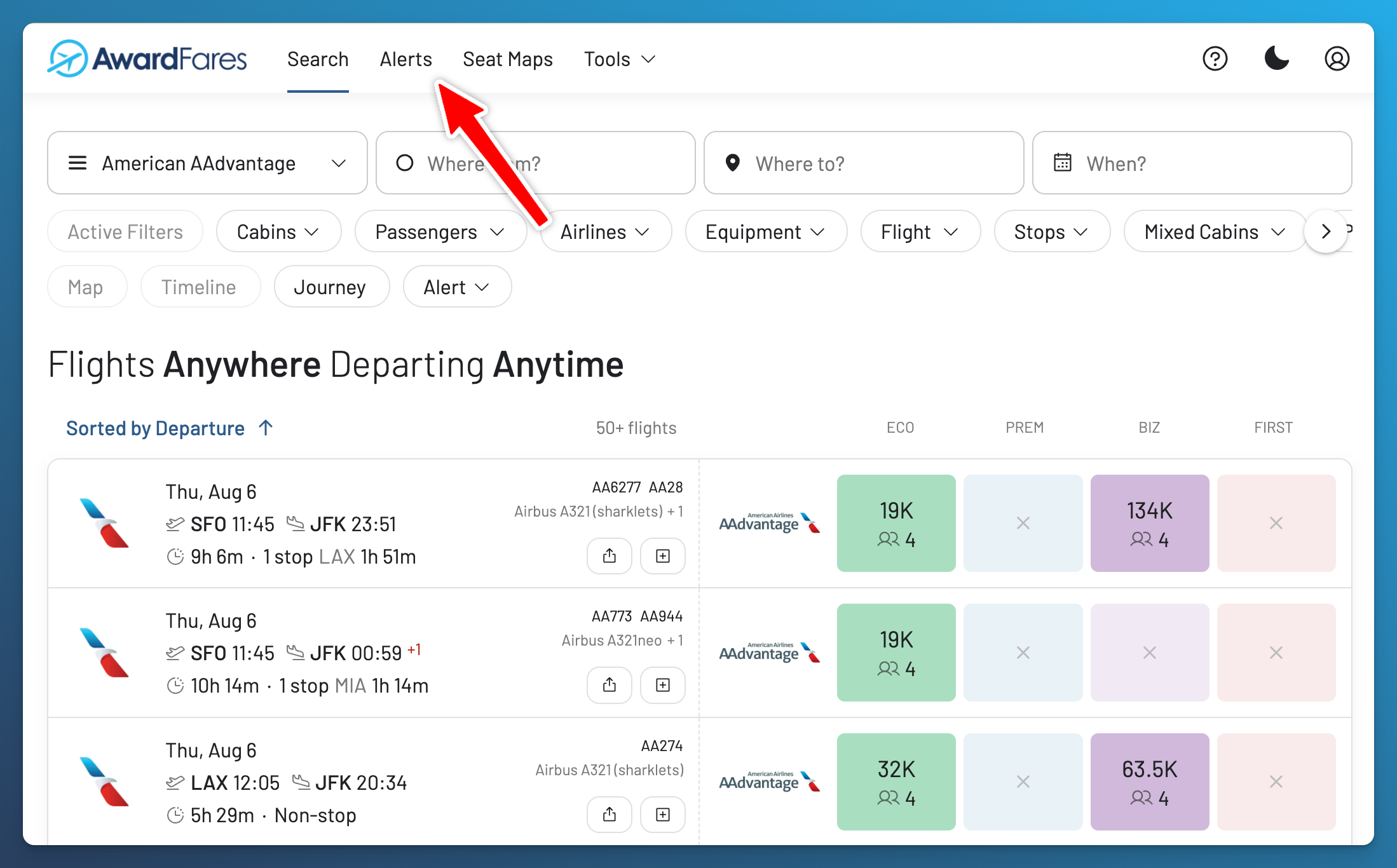
1. Open Alerts
Sign in to AwardFares and open Alerts in the main navigation.
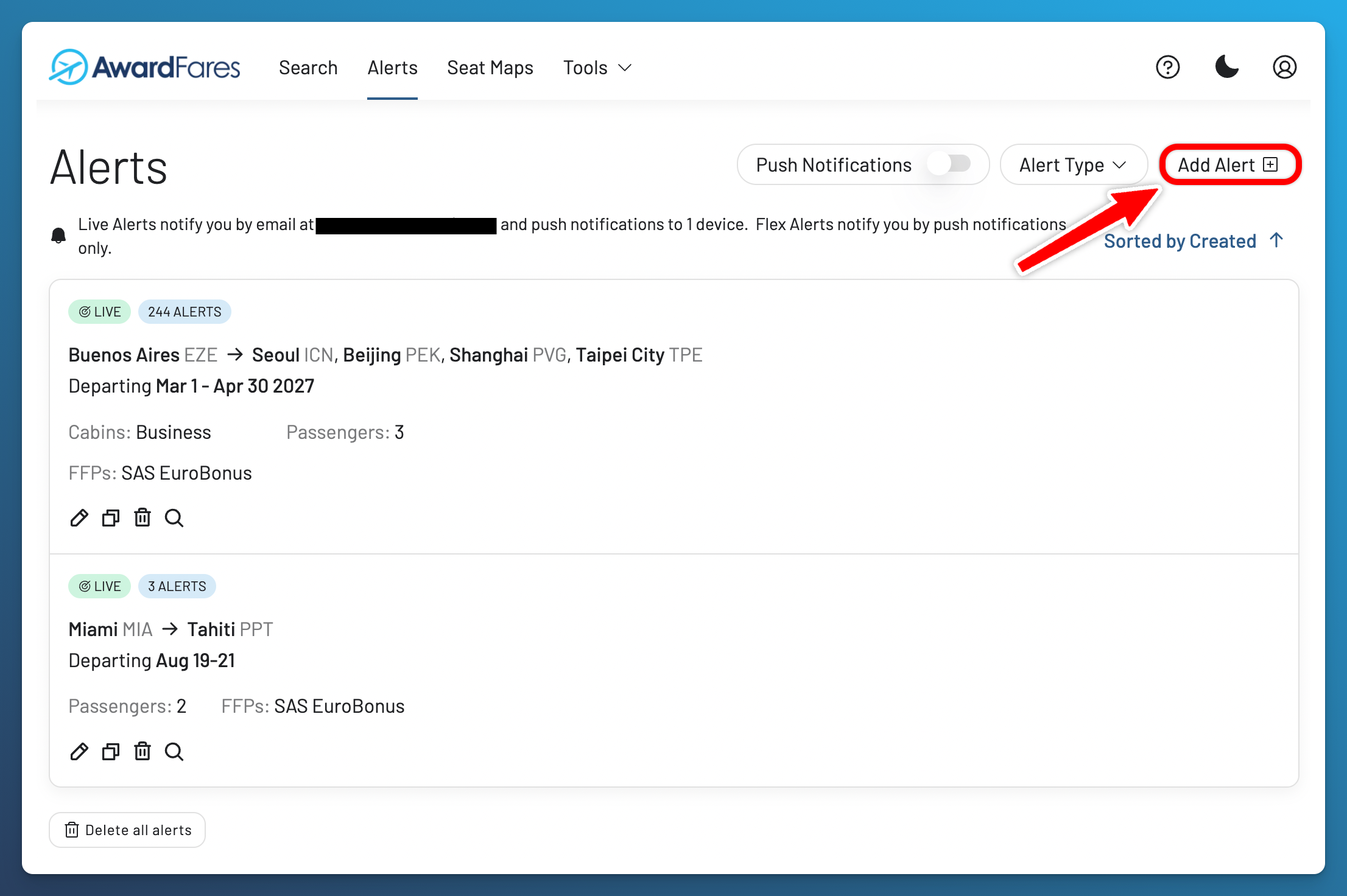
2. Select Add Alert
Select Add Alert to open the alert editor.
Choose Live or Flex
Select the alert type before entering the criteria. The editor explains how each type works and changes the route and date options accordingly.
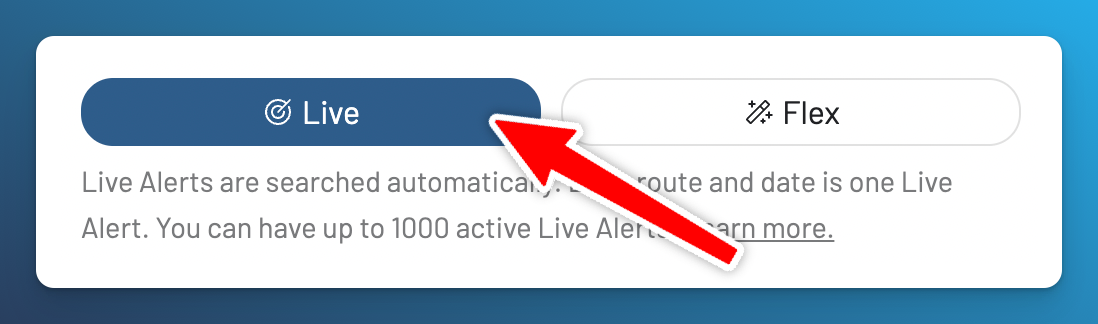
The screenshots in this tutorial come from an account with a customized Live Alert allowance. Your editor shows the allowance available to your account; the standard Gold and Diamond plan limits are listed above.
Live Alert Tutorial: Specific Route and Dates
Suppose you need two Business Class award seats from New York (JFK) to London (LHR) between October 1 and 17.
- Select Live.
-
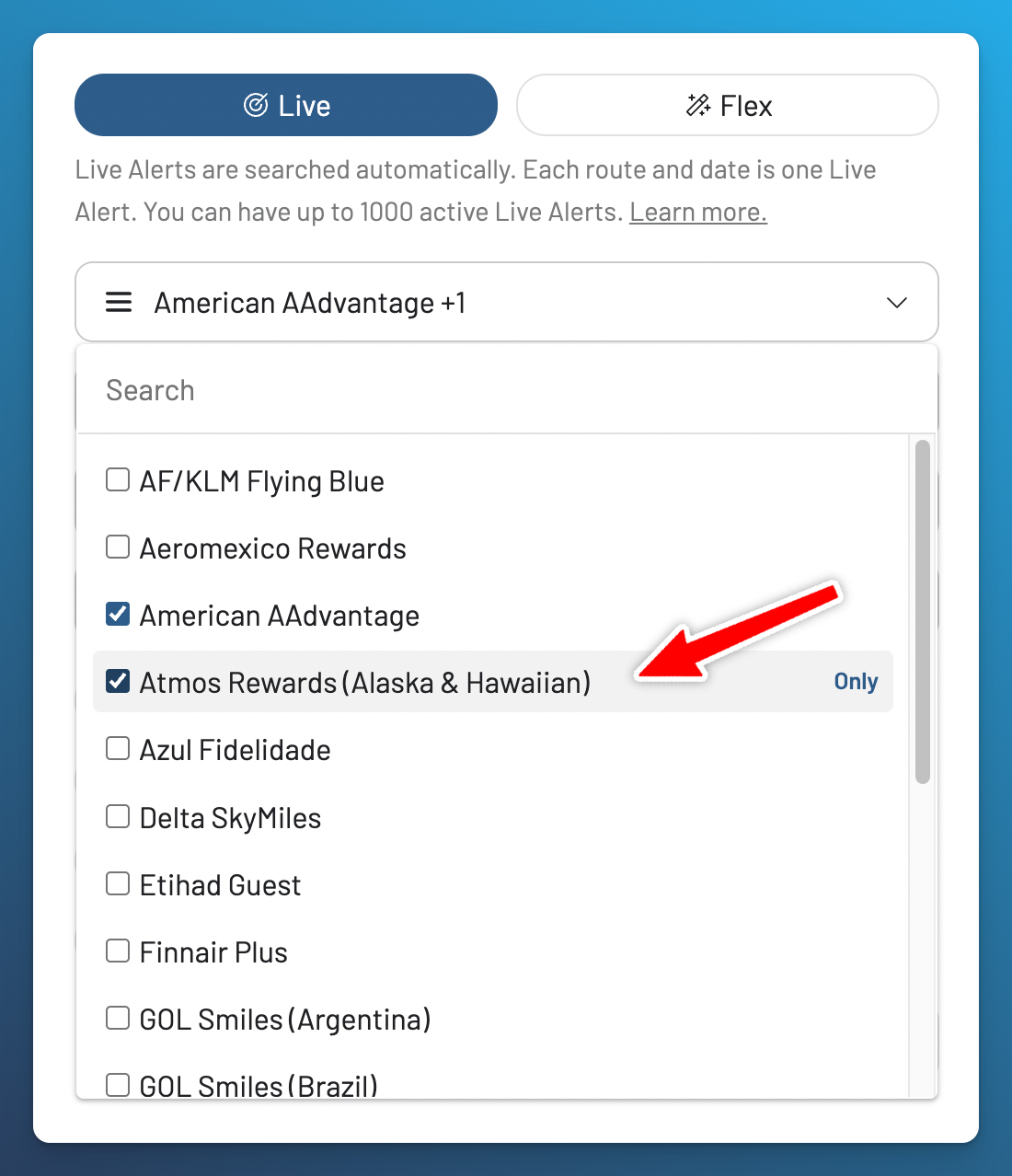
Choose the loyalty programs you can use to book.
-
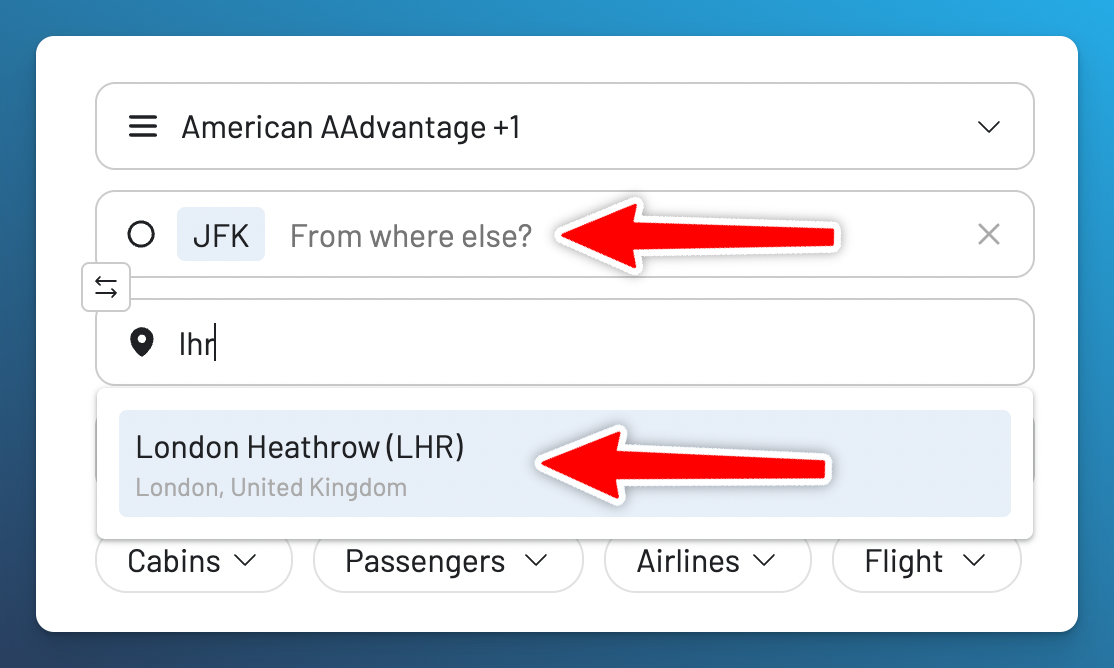
Enter JFK as the origin and LHR as the destination.
-
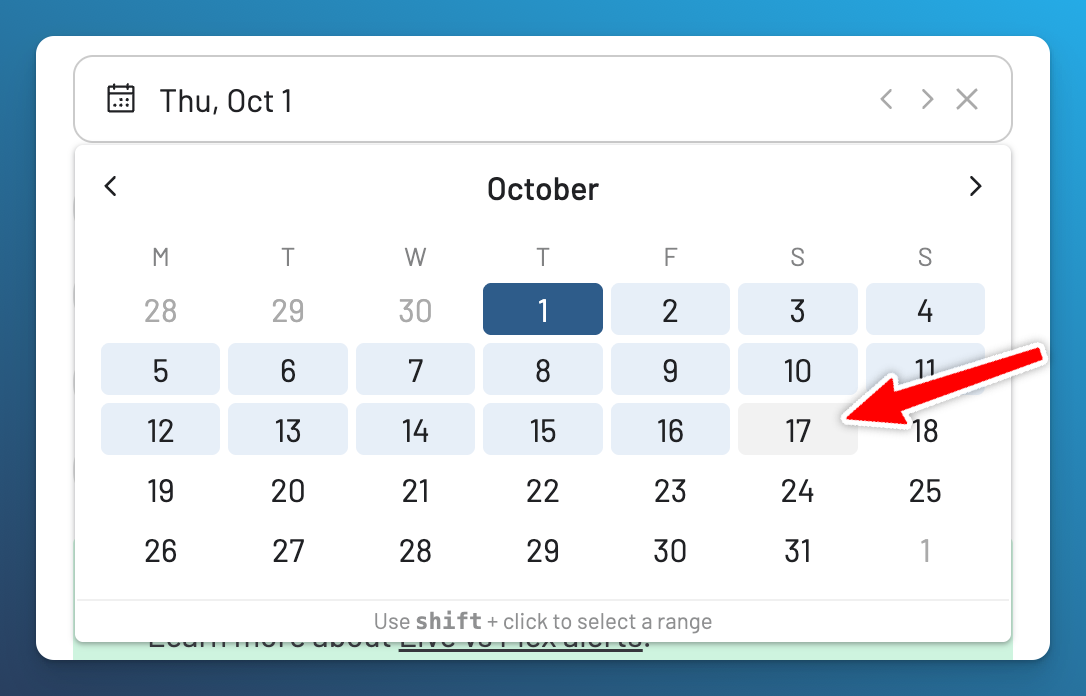
Select October 1–17, or choose only the dates that can work.
-
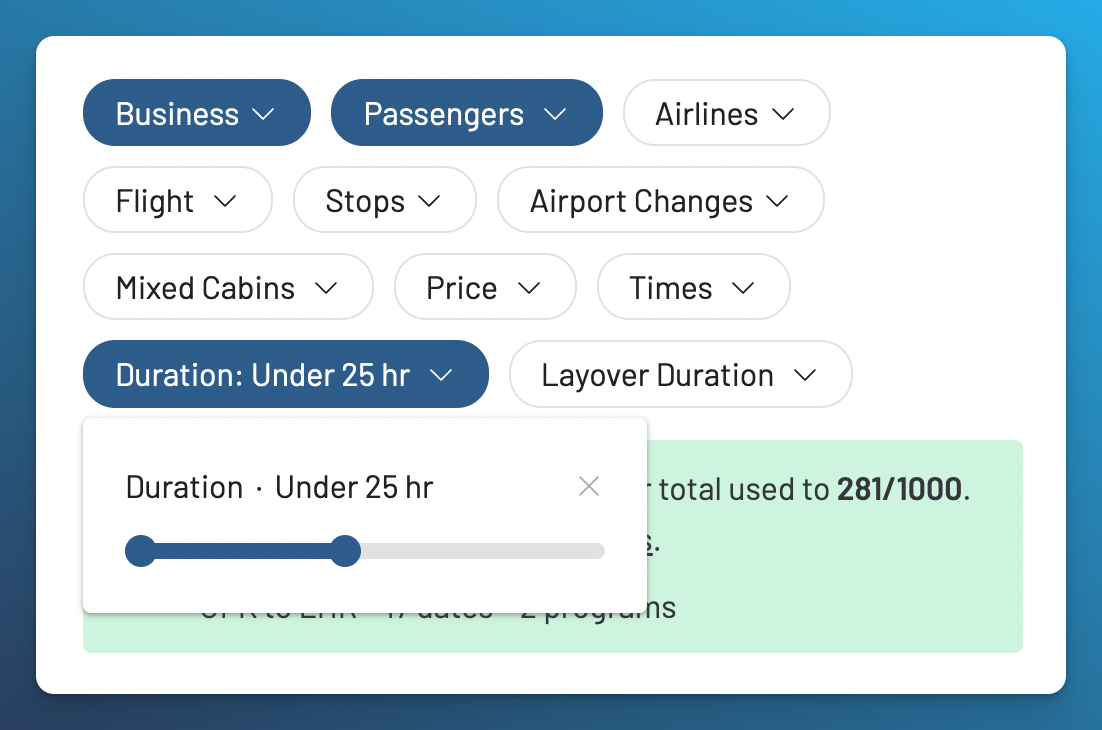
Set Business Class and two passengers. Add only essential filters—for example, a maximum duration of 25 hours.
-
Review the usage summary, then select Save.
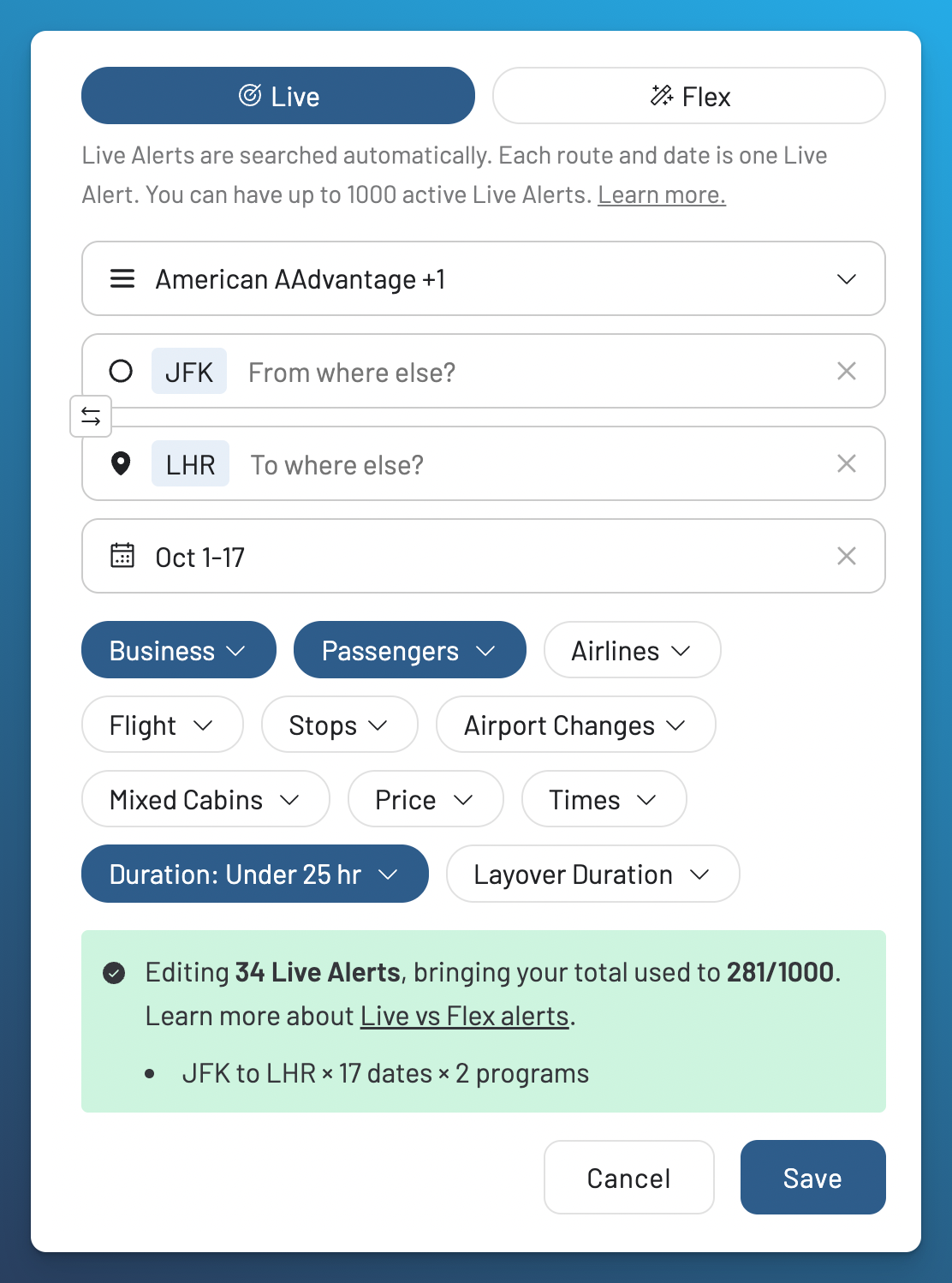
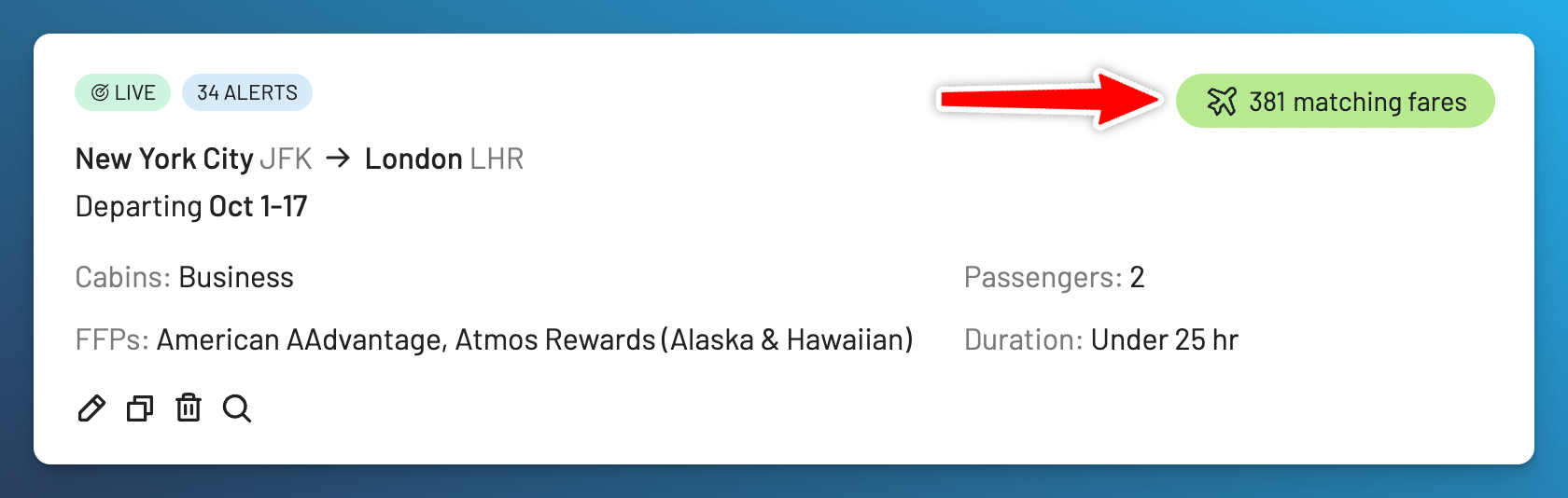
With the two loyalty programs shown, one route and 17 dates use 34 Live Alerts: 2 programs × 1 route × 17 dates. On Gold, selecting one program would reduce the same setup to 17 Live Alerts. The summary updates before you save, so you can remove programs, airports or dates when necessary.
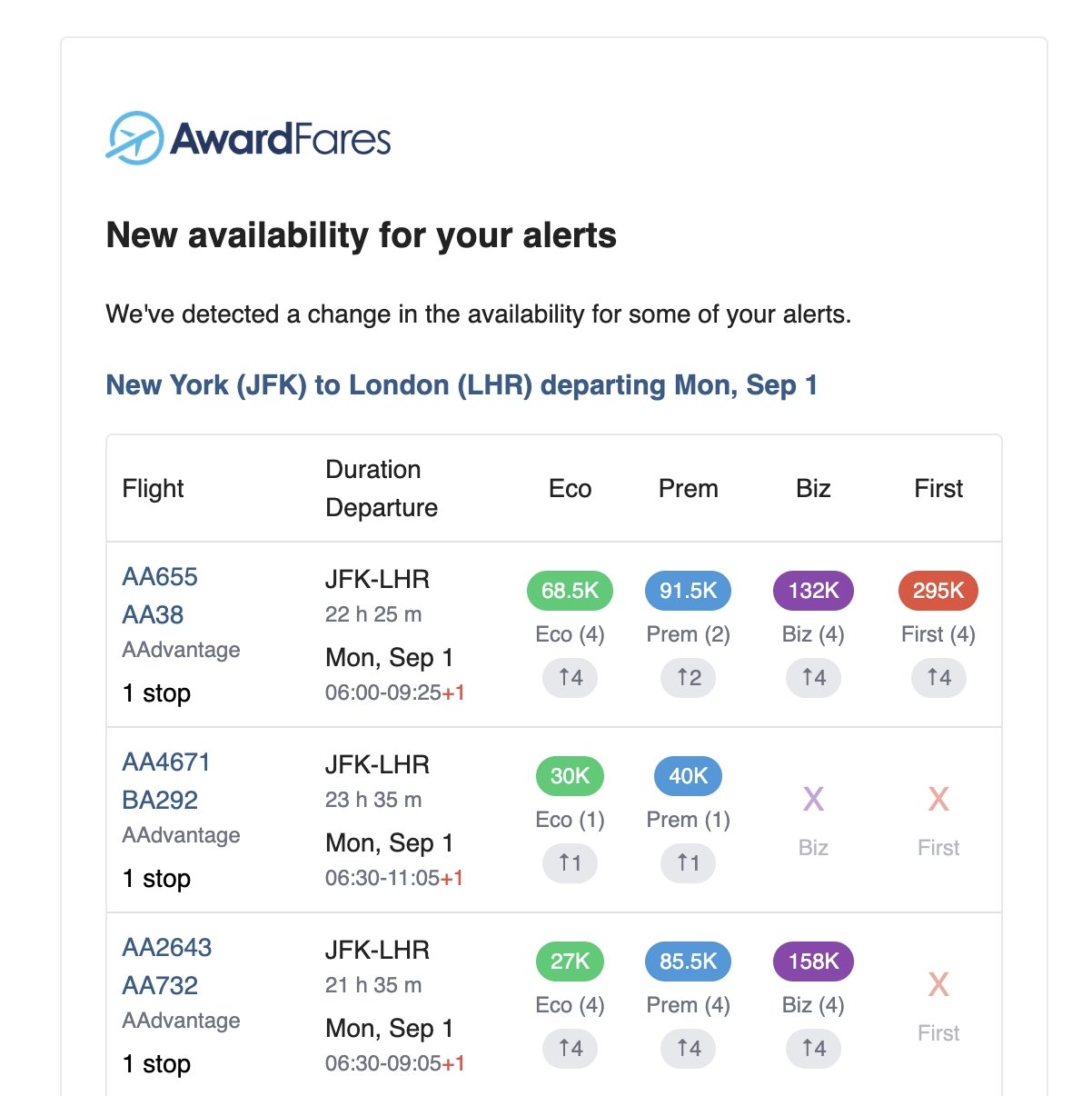
AwardFares sends Live Alert matches by email. If push notifications are enabled, the same Live Alert can also notify those devices.
Flex Alert Tutorial: Broader Route or Dates
Select Flex when part of the trip is open. If you enter an exact airport-to-airport trip that could be monitored more precisely with Live, AwardFares may suggest switching alert types.
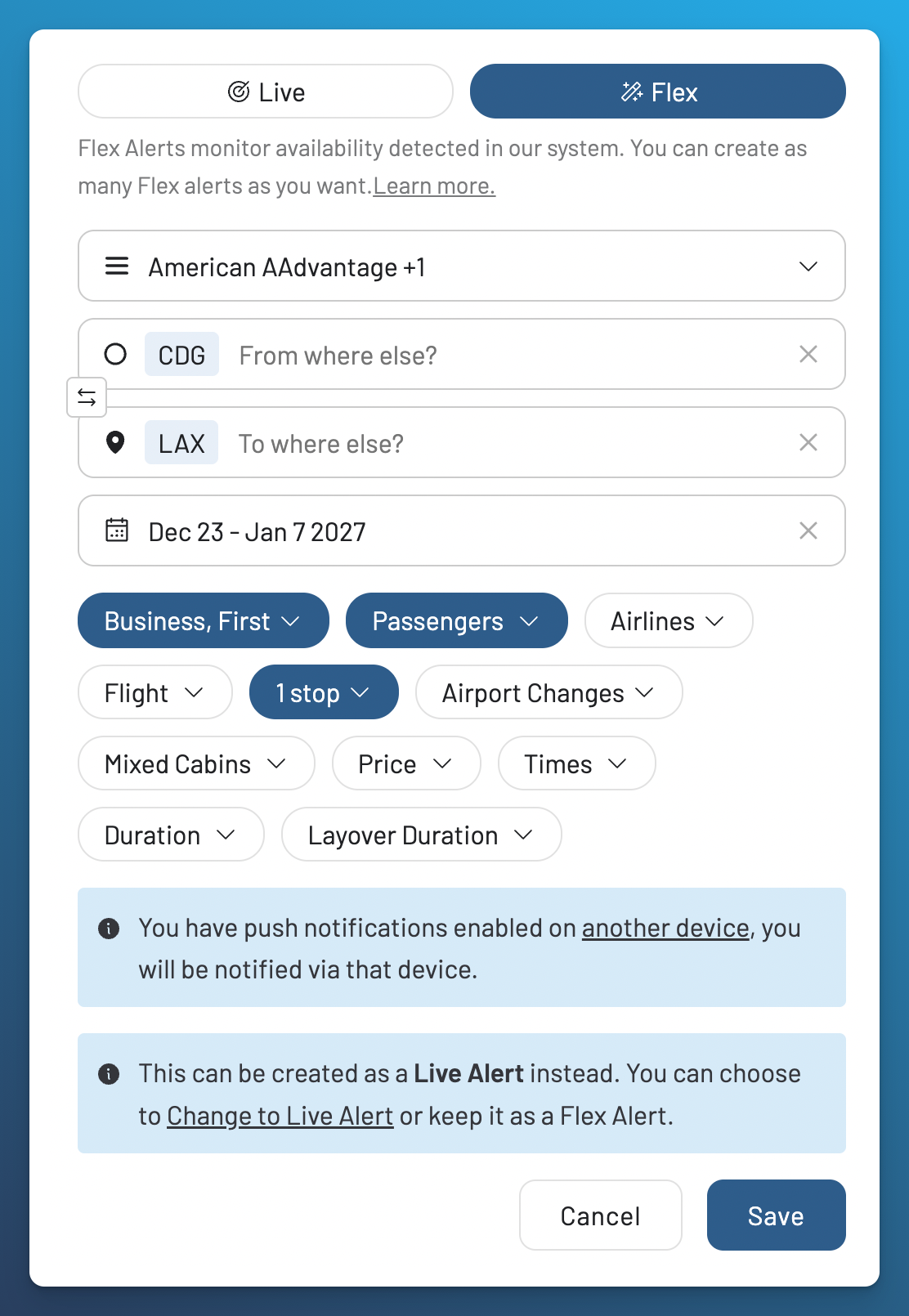
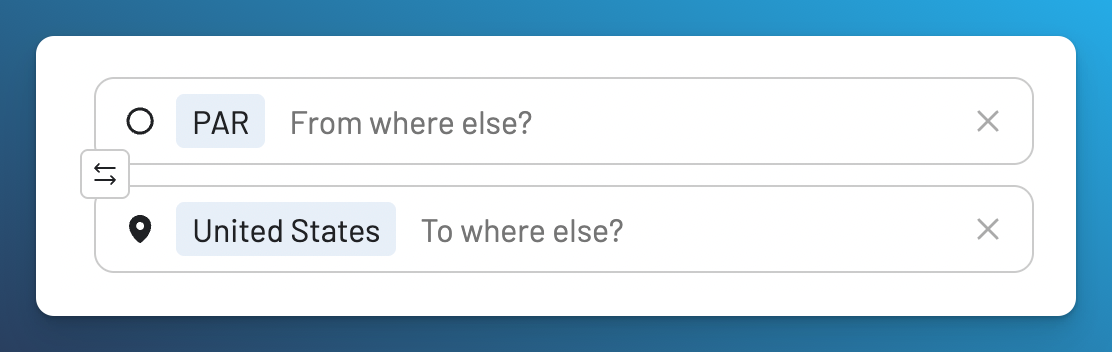
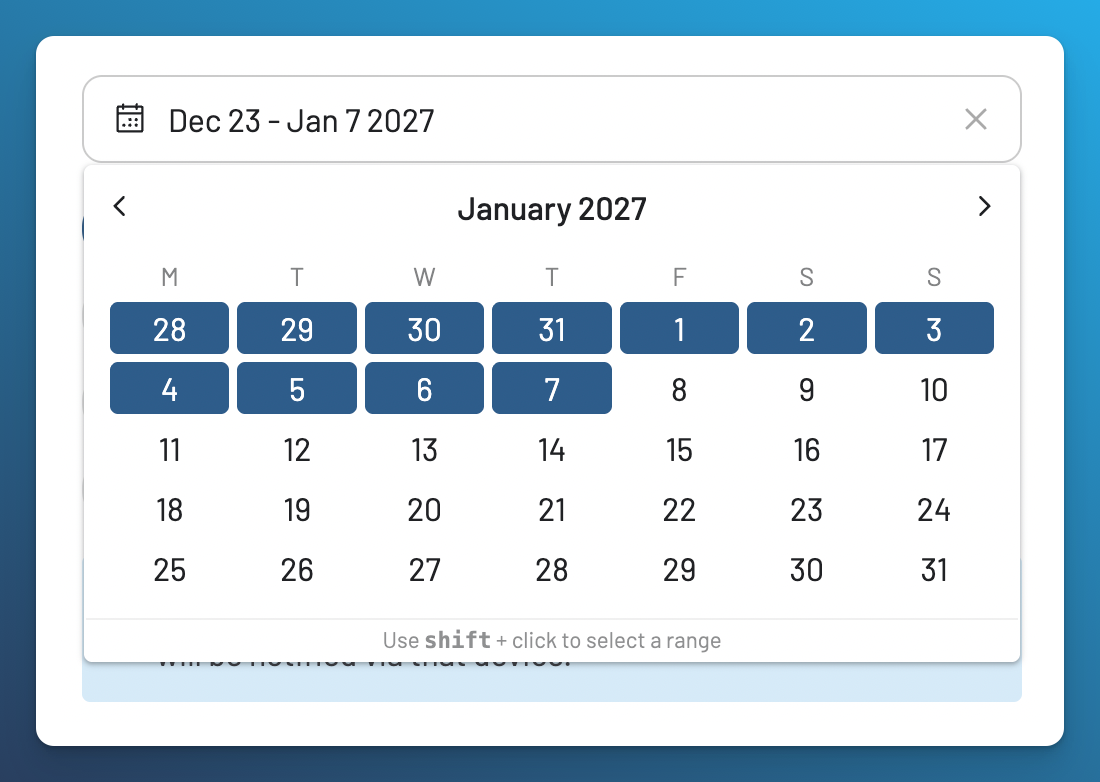
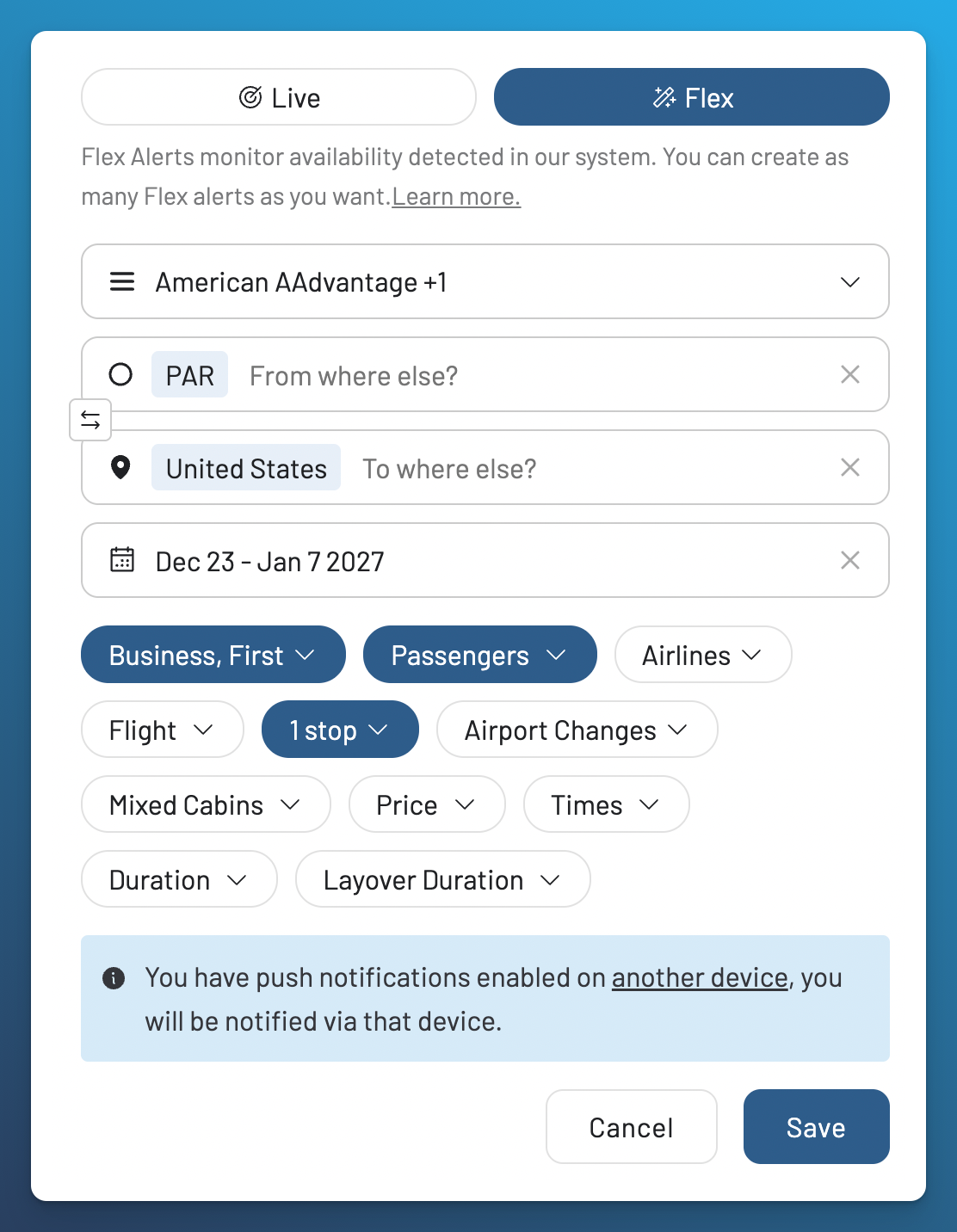
For a genuinely flexible example, suppose you can travel from the Paris area to anywhere in the United States between December 23 and January 7 and want a premium cabin:
- Choose the loyalty programs you can use to book.
-
Enter the Paris metro area (PAR) as the origin and the United States as the destination.
-
Select December 23–January 7. You can instead use Anytime when any travel date works.
- Select Business and First Class, two passengers and no more than one stop.
-
Add any other essential filters and review the completed alert before saving.
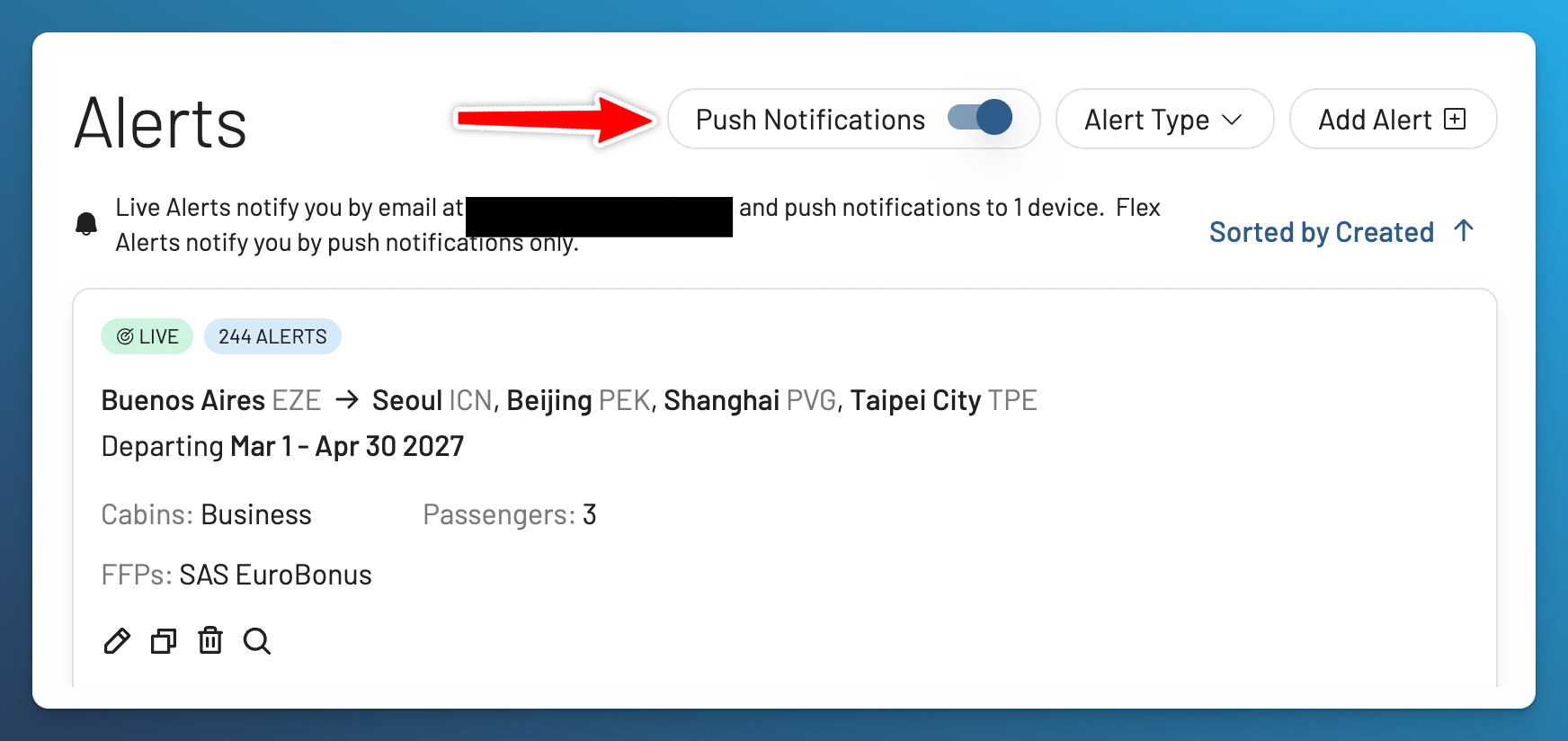
Flex Alerts use push notifications only. Enable push on at least one device so AwardFares can deliver the match. Follow the push notification help guide if your browser or mobile device is not registered.
Create a Live Alert from Award Search
If you have already run the exact search you want to monitor, turn it into a Live Alert without entering the criteria again:
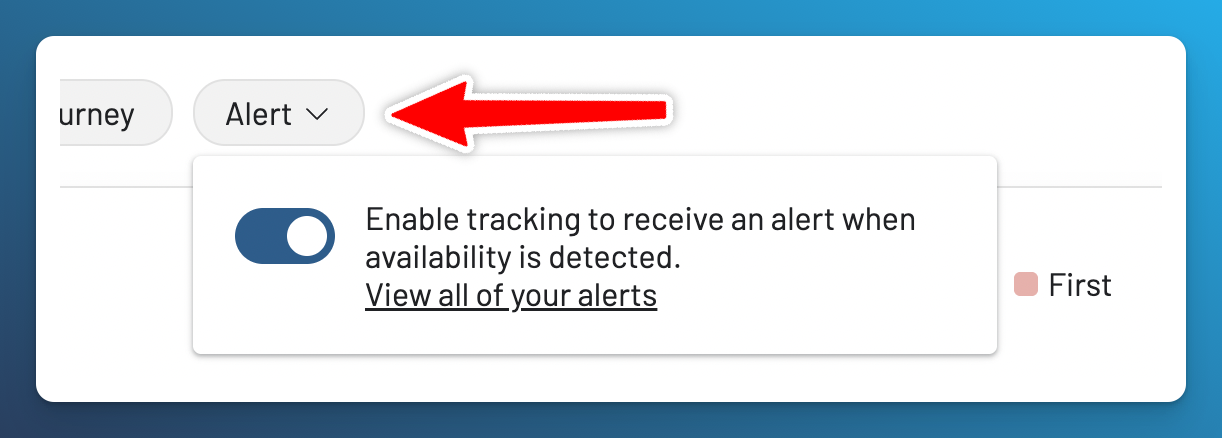
- In Award Search, select at least one loyalty program, an origin, a destination and a date.
- Add the cabin, passengers, price or other filters you want to preserve.
- Open Alert in the search controls and enable tracking.
A search without the required program, origin, destination and date cannot be tracked from the search page. Complete those fields or create the alert from the Alerts page instead.
Filters Available for Alerts
Live and Flex Alerts currently support these filters:
- Cabins: Economy, Premium Economy, Business, or First Class.
- Passengers: Require enough detected award seats for the selected party size.
- Airlines: Include or exclude operating airlines.
- Flight: Limit the alert to a flight number.
- Stops: Choose the acceptable number of stops.
- Airport Changes: Include or exclude itineraries that require changing airports.
- Mixed Cabins: Control whether itineraries can combine cabin classes.
- Price: Set minimum and maximum prices in points or miles.
- Times: Set acceptable departure and arrival times.
- Duration: Limit total trip duration.
- Layover Duration: Limit the duration of connections.
- Saver: Apply the available saver criteria for supported programs.
Filters narrow the matches. If an alert is too restrictive, edit it and remove criteria that are not essential.
The Price filter applies to the award cost in points or miles. You can set a minimum, a maximum, or both. For more examples, read the guide to award price alerts and maximum price filters.
What Matching Fares Means
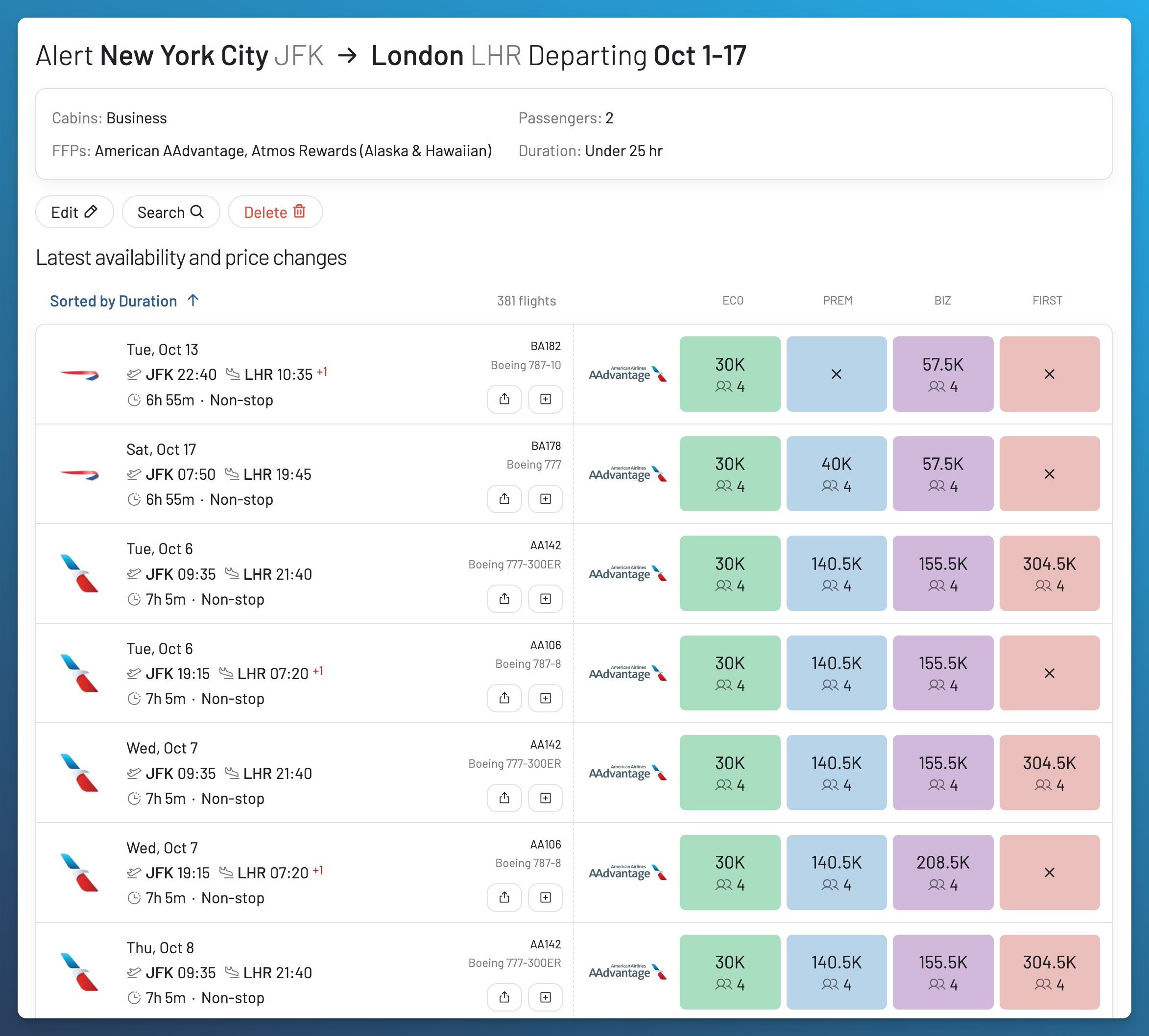
An alert can show a Matching Fares count when AwardFares already has results or recent searches that meet the saved criteria. Select the count to review those flight results.
The count can change when you edit the route, date, passengers, cabin, price, or other filters. It represents matching results detected in AwardFares. It is not a promise that the loyalty program will still have the seat when you proceed to book.
If a result appears but cannot be booked, follow the phantom availability guide before transferring points or making other nonrefundable arrangements.
How to Manage Your Alerts
The Alerts page lets you:
- Edit the saved criteria.
- Copy an alert to create a similar setup.
- Remove an alert that you no longer need.
- Search using the alert criteria.
- Filter the list by Live or Flex.
- Review how Live and Flex notifications are delivered.
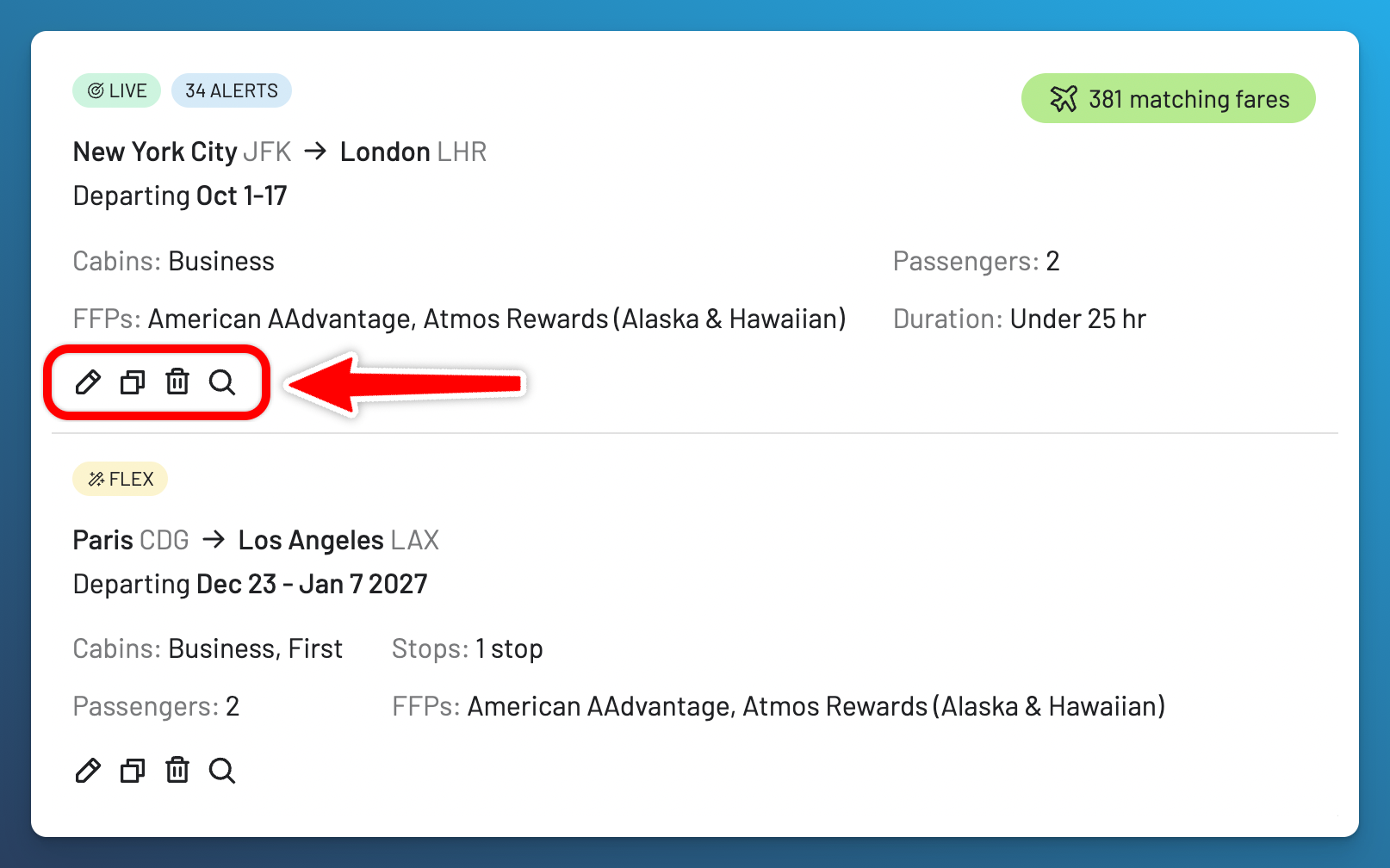
Remove alerts for completed trips so your Live Alert allowance remains available for future searches.
Tips for Better Award Seat Alerts
Tips for Effective Alerts
- Use the right alert type: Choose Live for a route and date that must work. Choose Flex for broader discovery.
- Include nearby airports: Add alternatives only when you can realistically use them. The Metro Area Search guide explains how AwardFares groups airports around the same city.
- Set the correct passenger count: A match for one award seat does not help a group that needs three.
- Avoid unnecessary filters: Every filter narrows the possible matches.
- Set a points or miles ceiling: Use Price when you know the maximum award cost you will accept.
- Be ready to verify and book: Award availability can change after the notification. Check the loyalty program before transferring points.
Start Tracking Award Availability
Use this guide to choose and configure the alert. Visit the Alerts product page for a concise feature overview, then compare the Gold and Diamond plans when you are ready to create alerts.
If you prefer to review current award availability first, start with Award Search, then use the Timeline View guide to compare availability across dates.
Read More

Frequently Asked Questions
What is an award flight alert?
An award flight alert tracks award availability for flights bookable with points or miles. You save the program, route, dates, passengers, cabin, and any other filters. AwardFares notifies you when detected availability matches those criteria.
What is the difference between Live Alerts and Flex Alerts?
Live Alerts regularly search specific routes and dates. Flex Alerts match broader criteria against availability detected through searches across AwardFares. Use Live for a specific trip and Flex for discovery when several routes or dates can work.
How many Live and Flex Alerts can I create?
Gold includes 30 Live Alerts and 100 Flex Alerts. Diamond includes 500 Live Alerts and unlimited Flex Alerts. Each loyalty program, unique route, and date combination counts separately toward the Live Alert limit.
How often does a Live Alert search?
AwardFares starts looking for a new Live Alert within 12 hours and runs the scheduled search around once per 24 hours. A match can also be found when the same search is run manually.
How are alert notifications delivered?
Live Alerts always use email and can also use push notifications when enabled. Flex Alerts use push notifications only. Enable push on at least one device before relying on a Flex Alert.
Will a Flex Alert find every available award seat?
No. Flex Alerts match broad criteria against availability detected through platform searches. They are designed for discovery and may not find every seat, especially on routes that receive few searches. Use a Live Alert for a specific route and dates.
Can I use Anywhere or Anytime for a Live Alert?
No. Live Alerts require a specific origin, destination, and date or dates. Use a Flex Alert when one endpoint or the travel date is open.
Does an award availability alert guarantee that I can book?
No. An alert reports availability detected by AwardFares. Award inventory can change, and the loyalty program controls booking. Confirm the seat with the program before transferring points or making other nonrefundable arrangements.
Does AwardFares track cash airfare prices?
These alerts track award availability and award prices in points or miles. They are not cash airfare price alerts. Use the Price filter to set a maximum award cost, and see the award price alerts guide for examples.
Find & Monitor Award Flight Availability
Use AwardFares to instantly search multiple frequent flyer programs. Find available award seats, set up alerts to monitor availability, check flight schedules, view seat maps, and more—all in one place.