 Aeromexico Rewards
 Air Canada Aeroplan
 American Airlines AAdvantage
 Atmos Rewards (Alaska/Hawaiian)
 Azul Fidelidade
 Delta SkyMiles
 Etihad Guest
 Finnair Plus
 Flying Blue (AF/KL)
 GOL Smiles
 Jetblue TrueBlue
 Qantas Frequent Flyer
 SAS EuroBonus
 Turkish Miles&Smiles
 United MileagePlus
 Virgin Atlantic Flying Club
 Virgin Australia Velocity
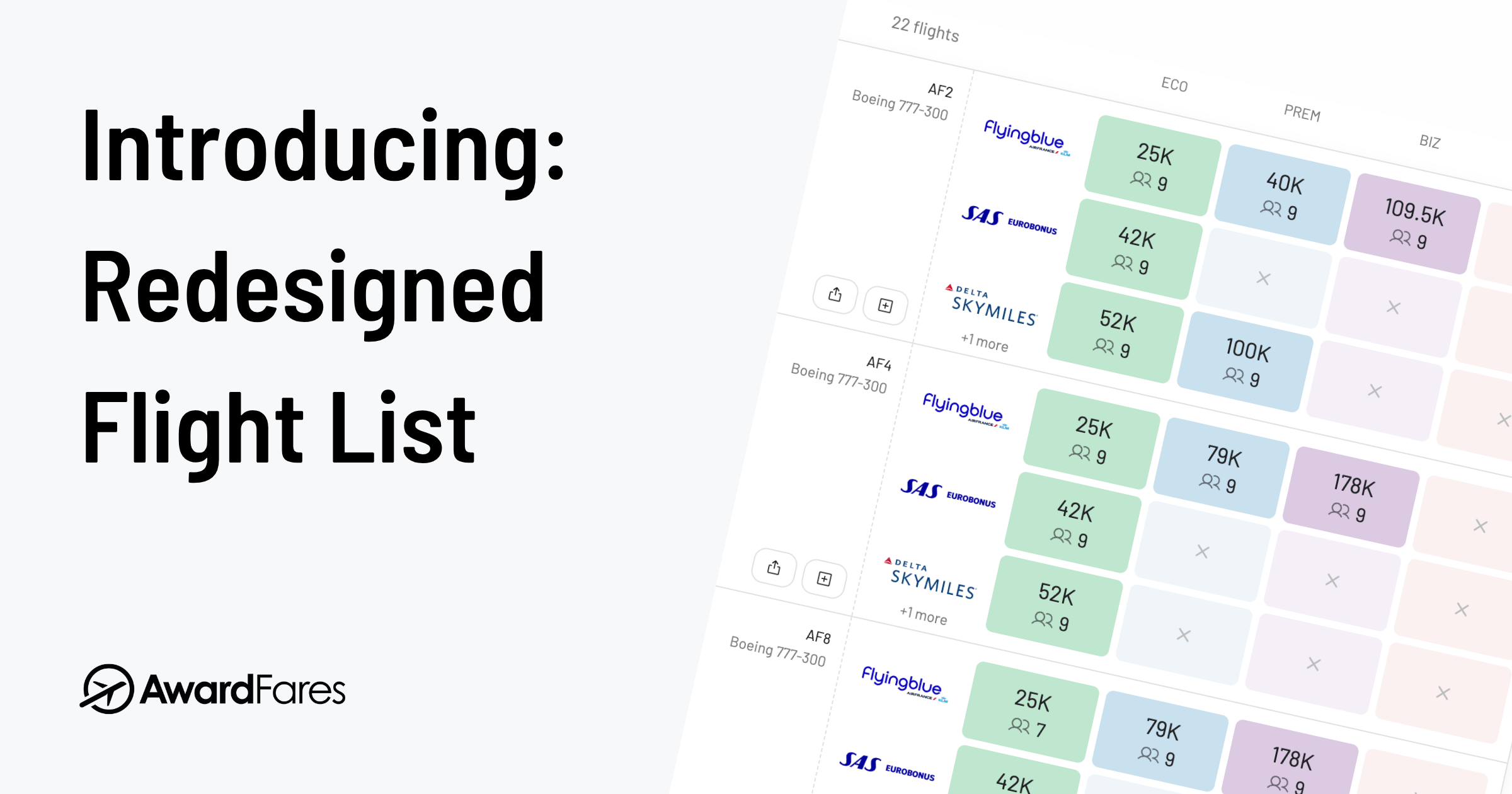
This month we are excited to roll out a redesigned flight list. It is a core part of AwardFares and what you see after every award search, so we rebuilt it to be clearer to read and to bring you more functionality. Here’s what it does.
A Clearer Layout
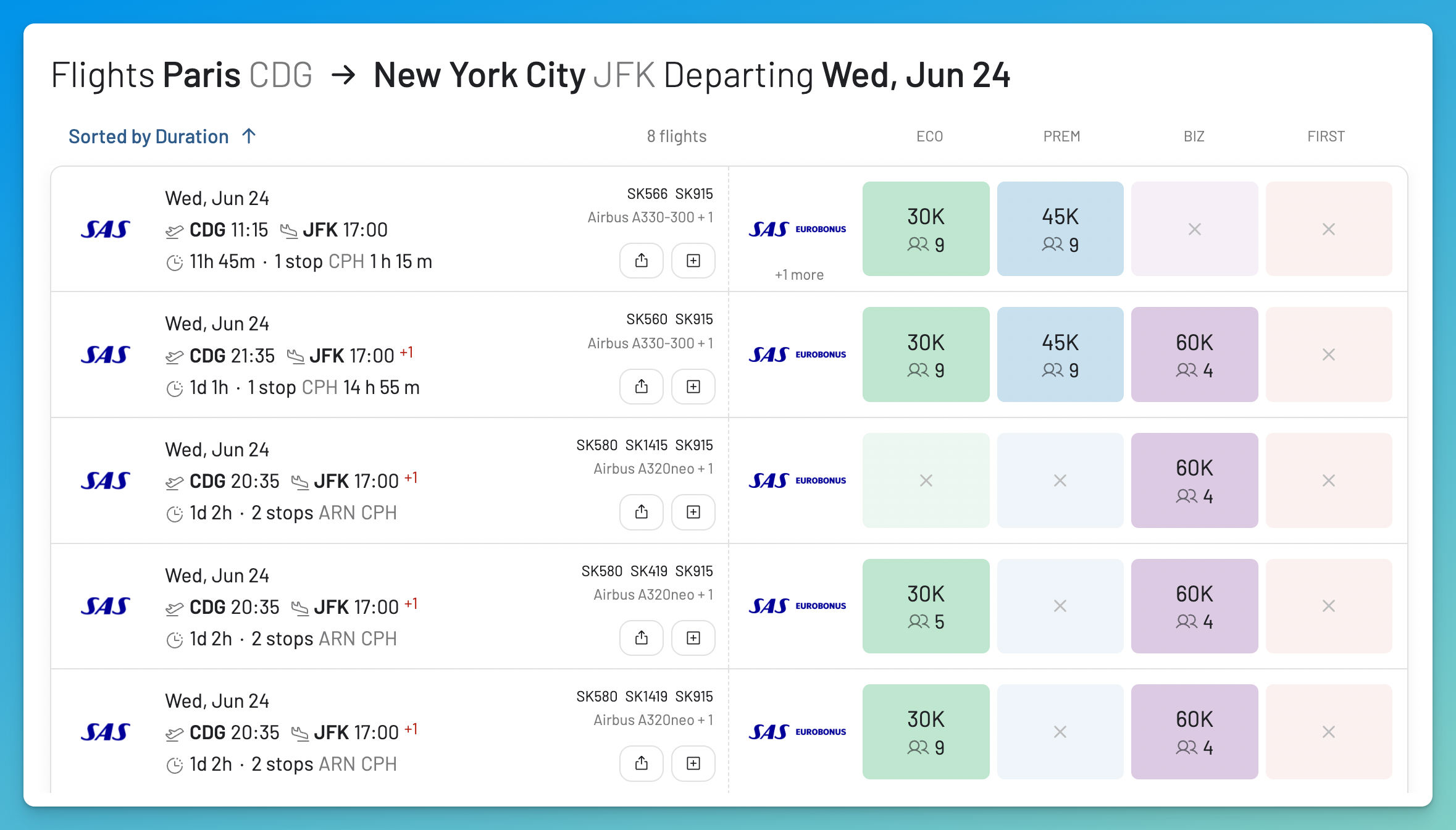
Results now gets its own card with the date, route, times, duration, stops, airline, and aircraft laid out clearly, with streamlined icons for departure, arrival, and travel time.
To the right of each card, the four cabins, Economy, Premium Economy, Business, and First, are shown as large colour-coded tiles: green, blue, purple, and red. An available cabin shows its price and the number of seats. A cabin that is not available is faded out with a cross. You can scan a long list of results at a glance.
Compare Prices Across Programs
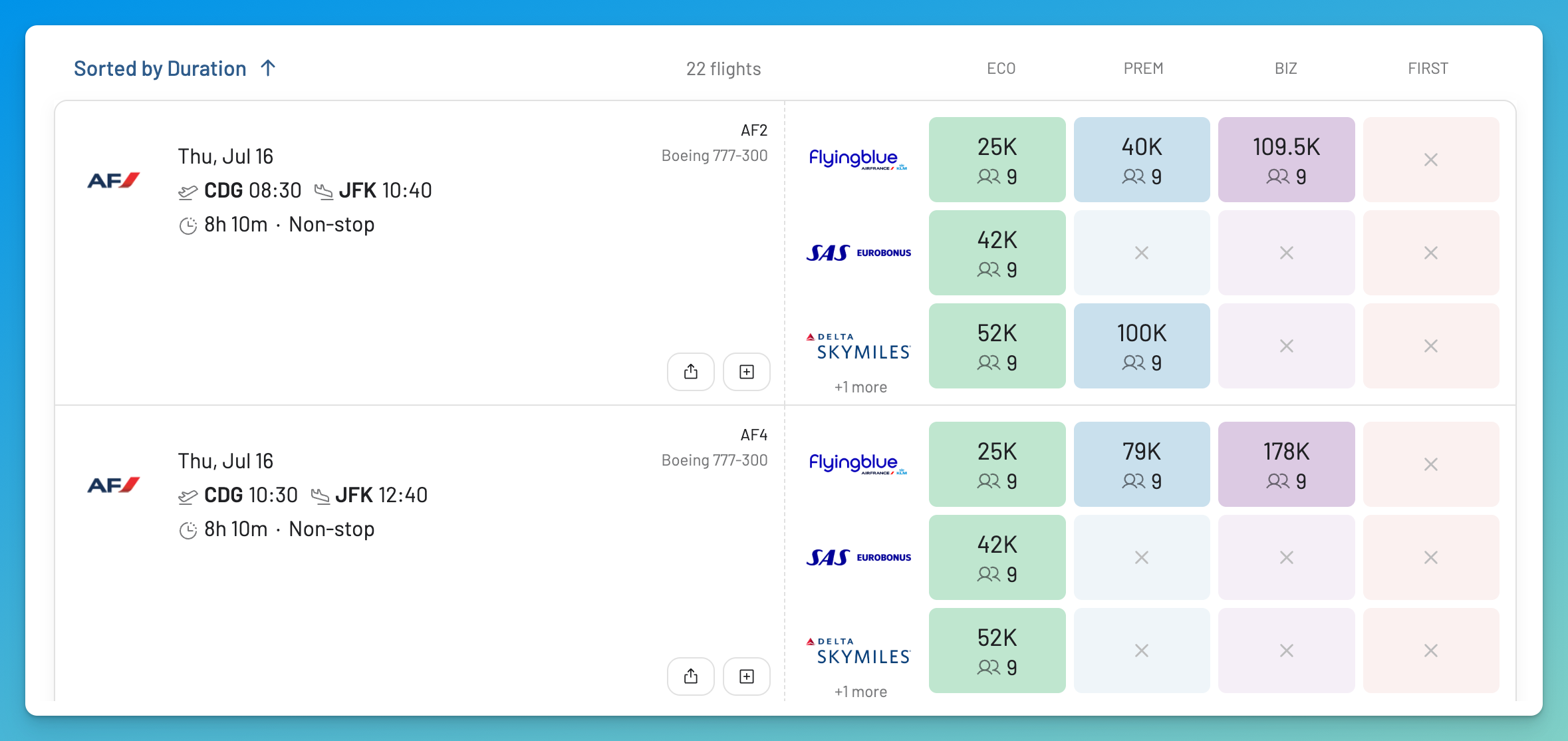
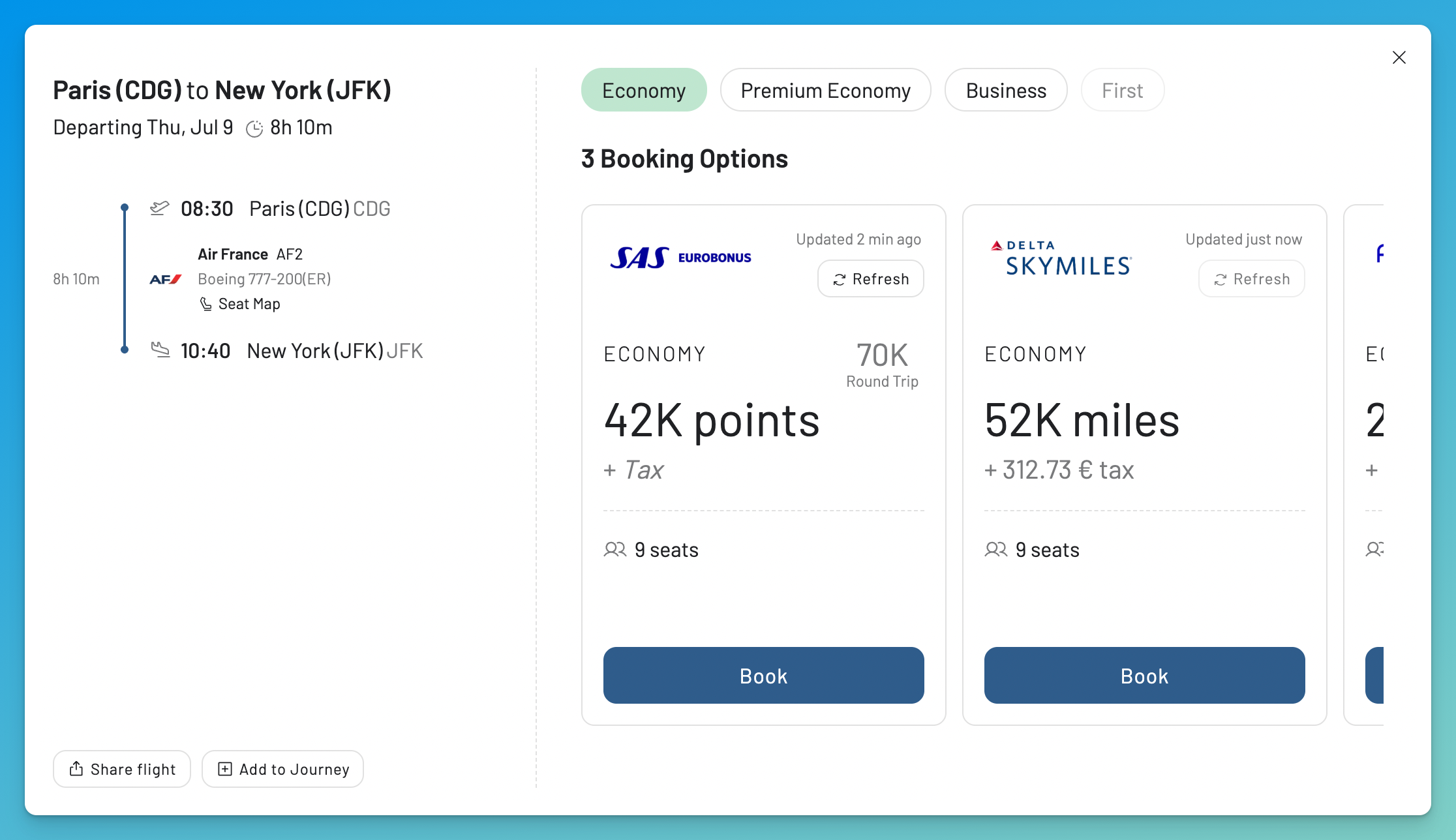
When you search more than one program, the flight list shows the price for each program and cabin on the same flight, stacked together. For a single flight, you can see that Economy might be 25K with Flying Blue, 42K with SAS EuroBonus, and 52K via Delta SkyMiles, all without opening anything.
This matters most if you do not earn miles directly with an airline. Many travellers collect transferable points, Amex Membership Rewards, Chase, Capital One, Rove, and others, and move them to whichever airline program prices the seat lowest. The same seat can cost very different amounts depending on the program you book it with, so choosing the right one can save tens of thousands of points on a single trip.
The new flight list puts the numbers next to each other, so the cheapest program is easy to see before you transfer a single point.
What You Get On Each Plan
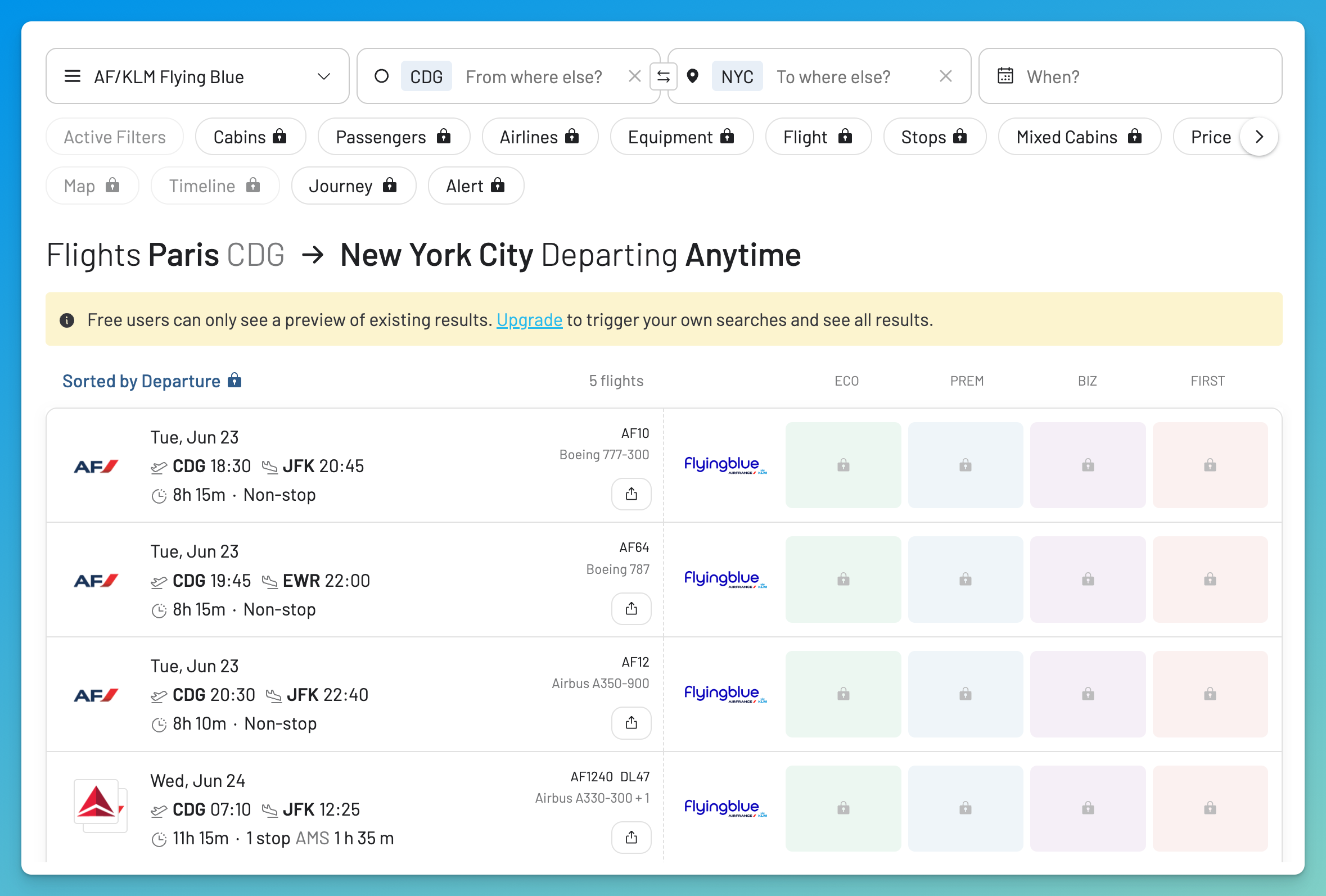
The new layout is available to everyone, on every plan. Live pricing and the cross-program comparison are part of Gold and Diamond. On a free account you will see the redesigned flight list with a preview of existing results, but the prices are locked.
Sort and Filter More Easily
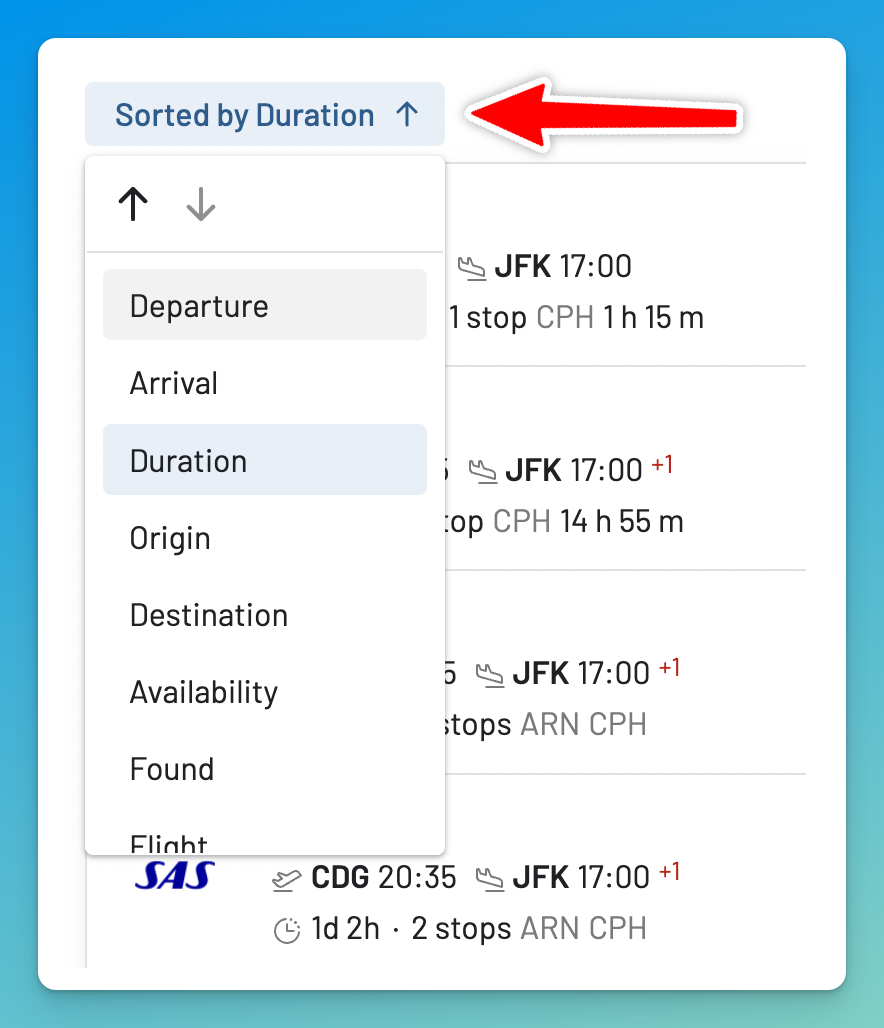
Sorting and filtering now sit right at the top of the list. From the top left, you can change how flights are ordered, by departure, arrival, duration, origin, destination, availability, when we last found the flight, and more, and switch between ascending and descending order in one place. Just like before, it’s also possible to sort the results by price by tapping on the different cabins at the header (Eco, Prem, Biz, First).
A New Flight Details View
Open any flight, by clicking the card or one of its prices, and you get a redesigned details view.
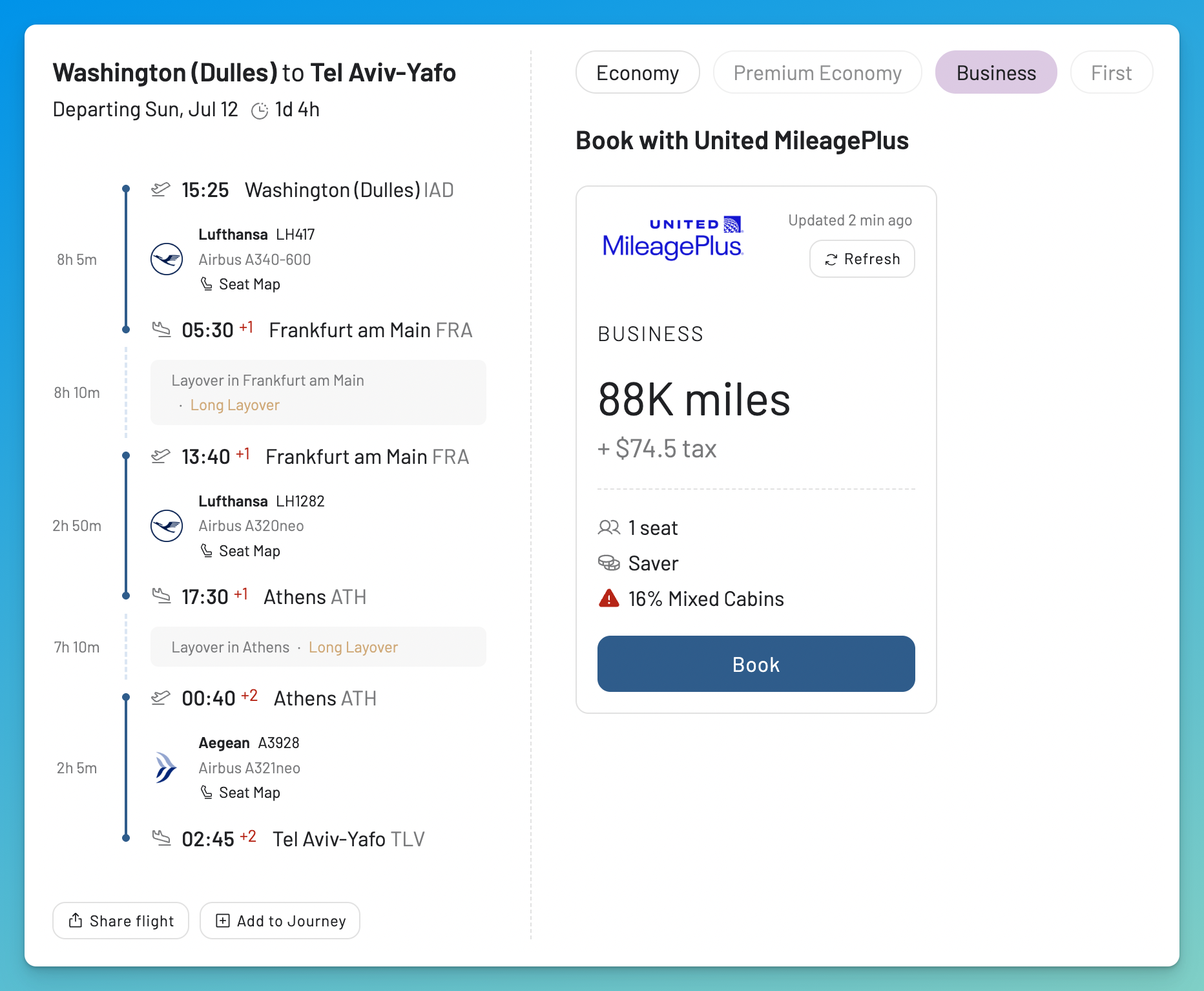
On the left is a clean summary of the journey: a timeline with departure and arrival times, the airports, the airline and flight number, and the aircraft. For a connection, every segment is laid out in order, so you can see the full routing without guessing.
On the right you choose a cabin and see every way to book that flight. Each booking option shows the program, the price in miles, the taxes and fees, how many seats are left, and how fresh the data is, with a Refresh button and a direct link to book. If a flight can be booked through more than one program, all of them appear here together.
Seat Maps and Onboard Menus in the Same View
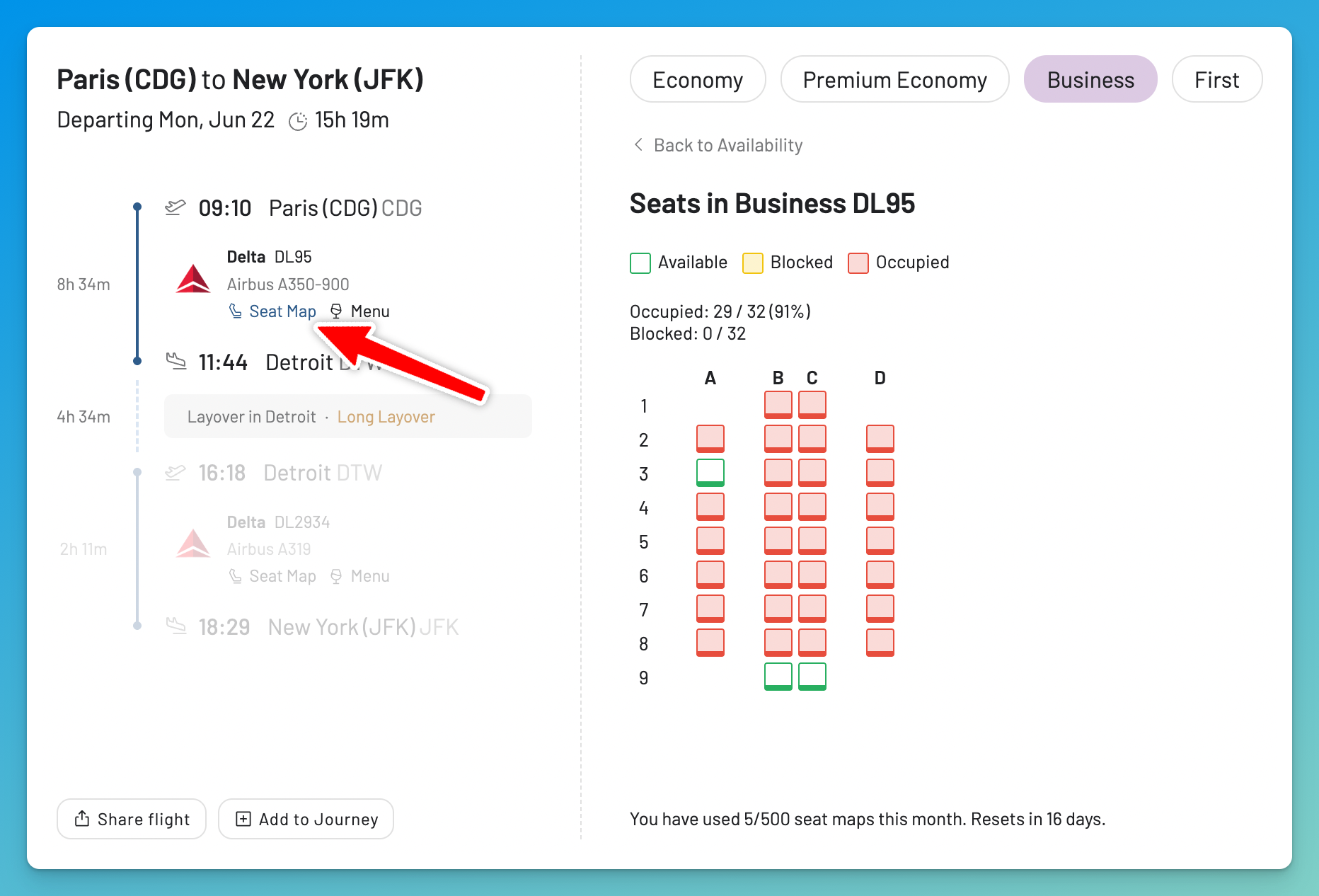
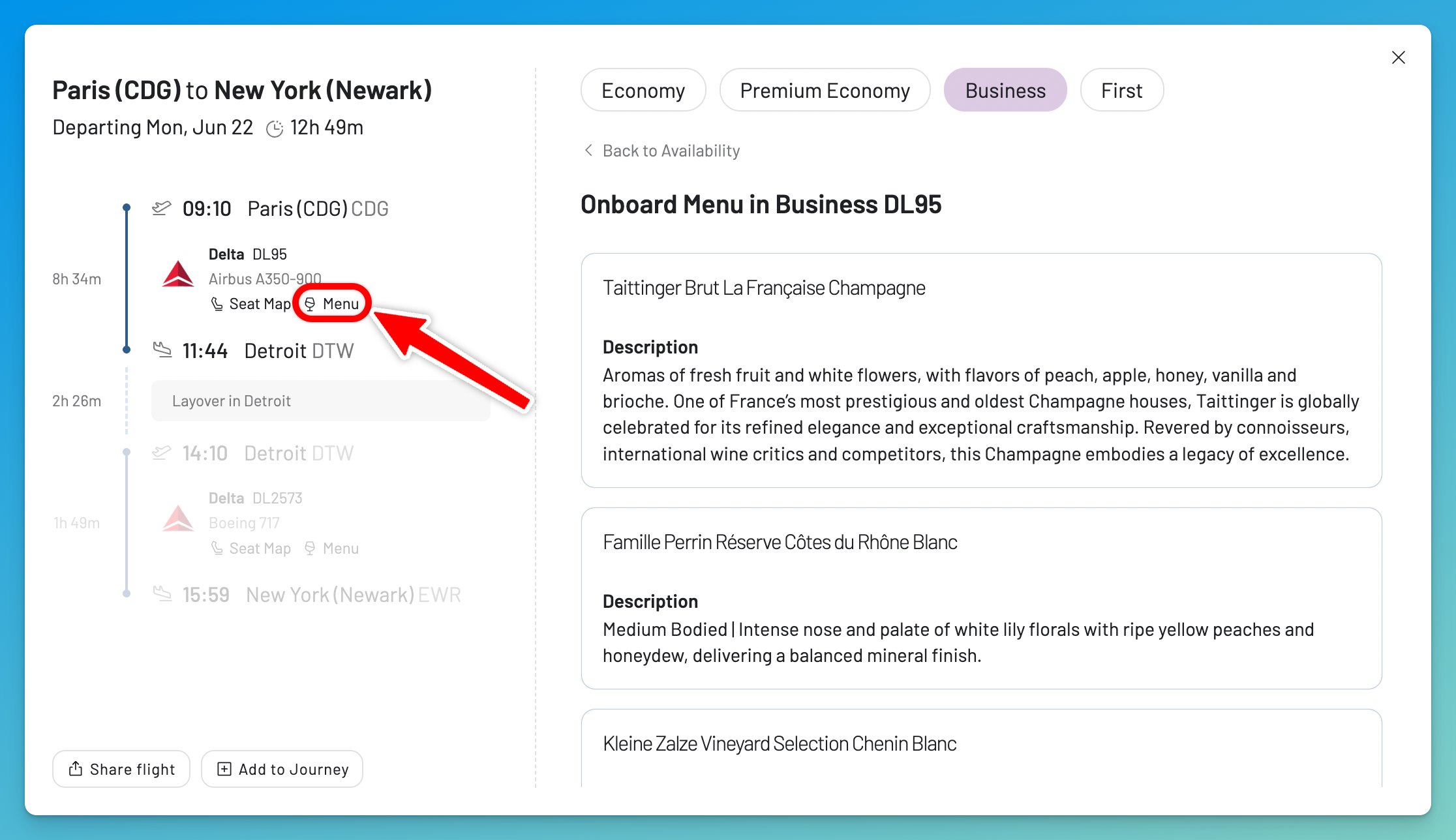
The flight details view does more than show prices. Each segment has a Seat Map link and, on supported airlines, a Menu link. Click either one and it opens in the same view, so you do not have to leave the page or open another window.
The Seat Map shows which seats are available, blocked, or occupied for that segment and cabin. It is a quick way to judge how full a cabin is before you book.
On supported airlines, the Menu link shows the onboard food and drinks for that flight and cabin, down to the wines and champagne served in Business.
Mixed Cabins, Made Clear
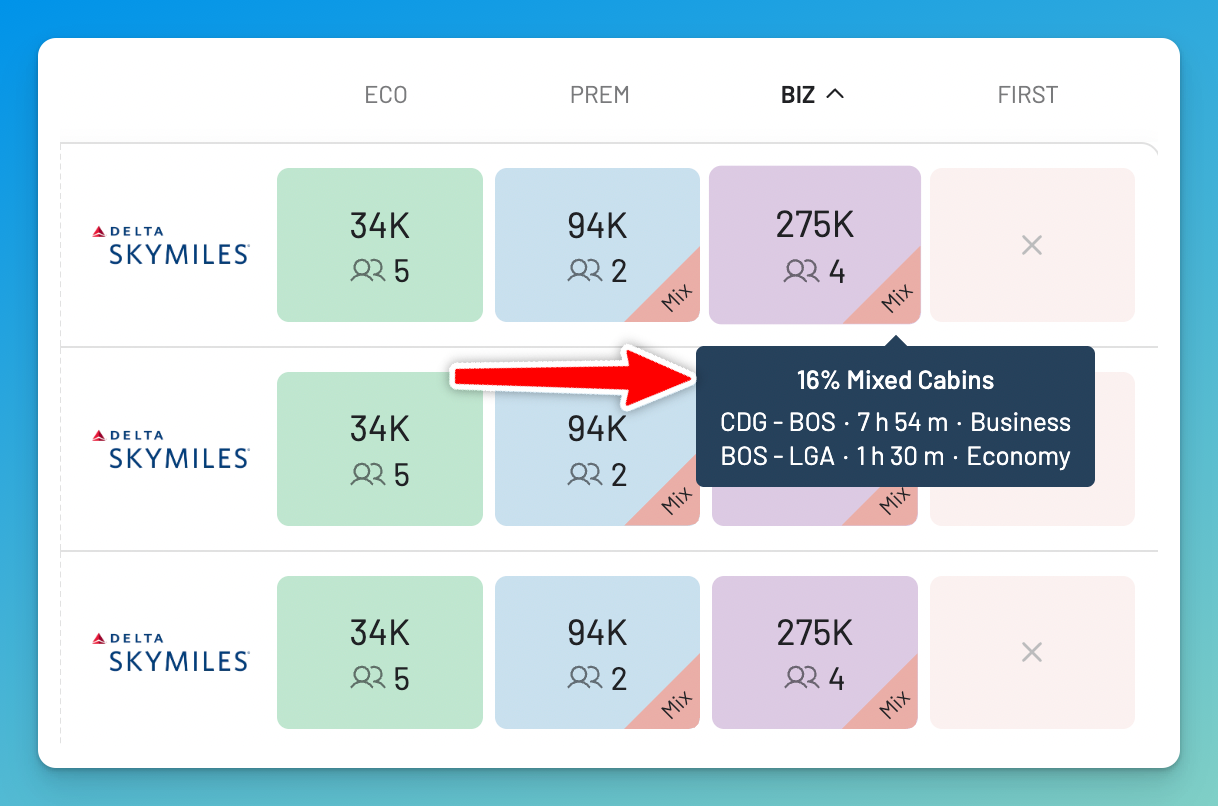
Some award itineraries are not a single cabin from start to finish. A trip sold as Business might fly Business on the long leg and Economy on a short connection. These are mixed-cabin awards, and it is easy to book one by mistake when the detail is hidden until checkout.
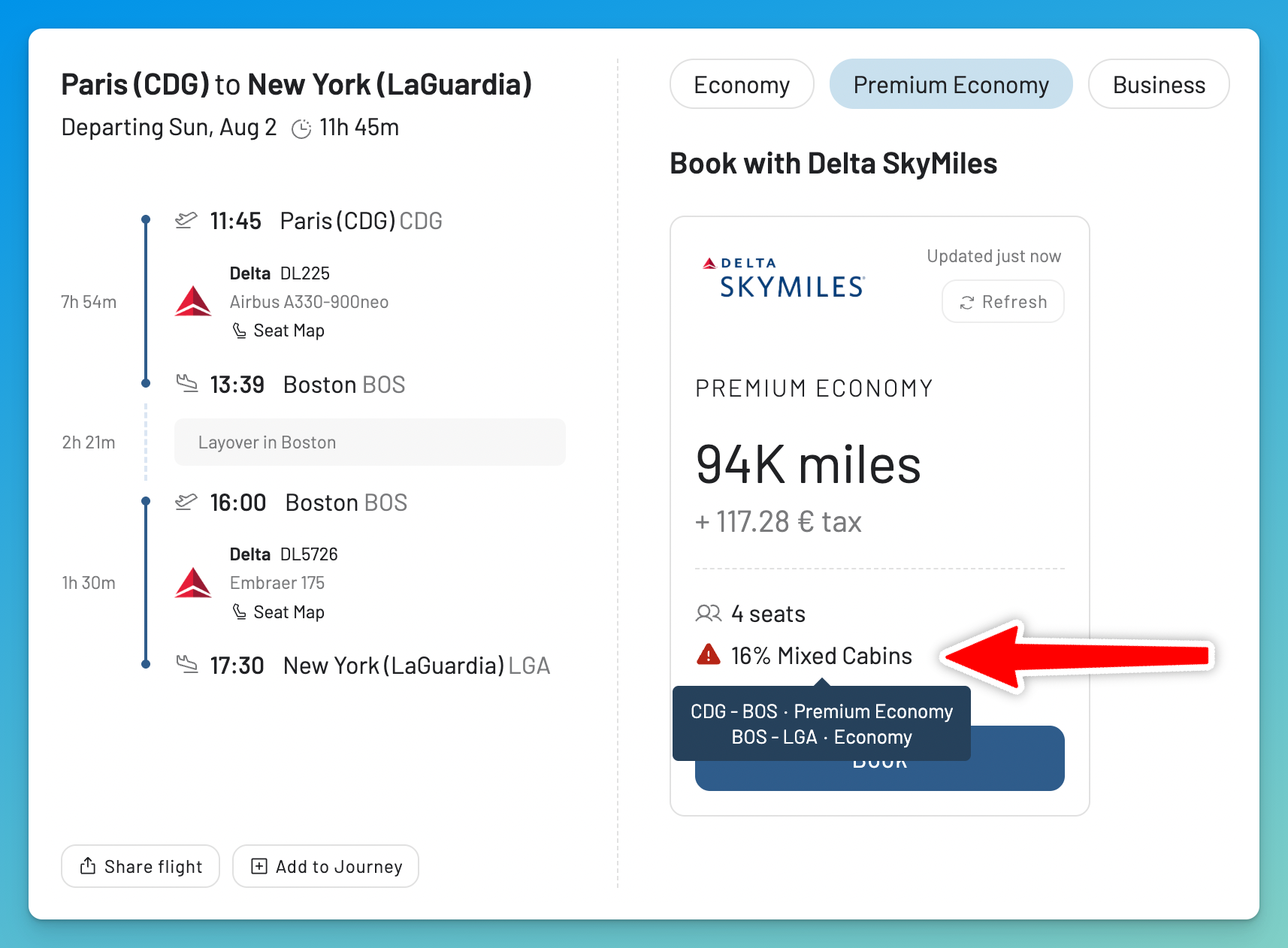
The new flight list marks them. In the results, a cabin tile that mixes cabins shows a small Mix tag, and both the tag and the details view spell out the mix: the share of the itinerary in each cabin, and which segment flies in which cabin, for example 20% Mixed Cabins, CDG to ATL in Premium Economy, ATL to EWR in Economy. You can see what you are booking before you commit.
Easier to Plan and Share
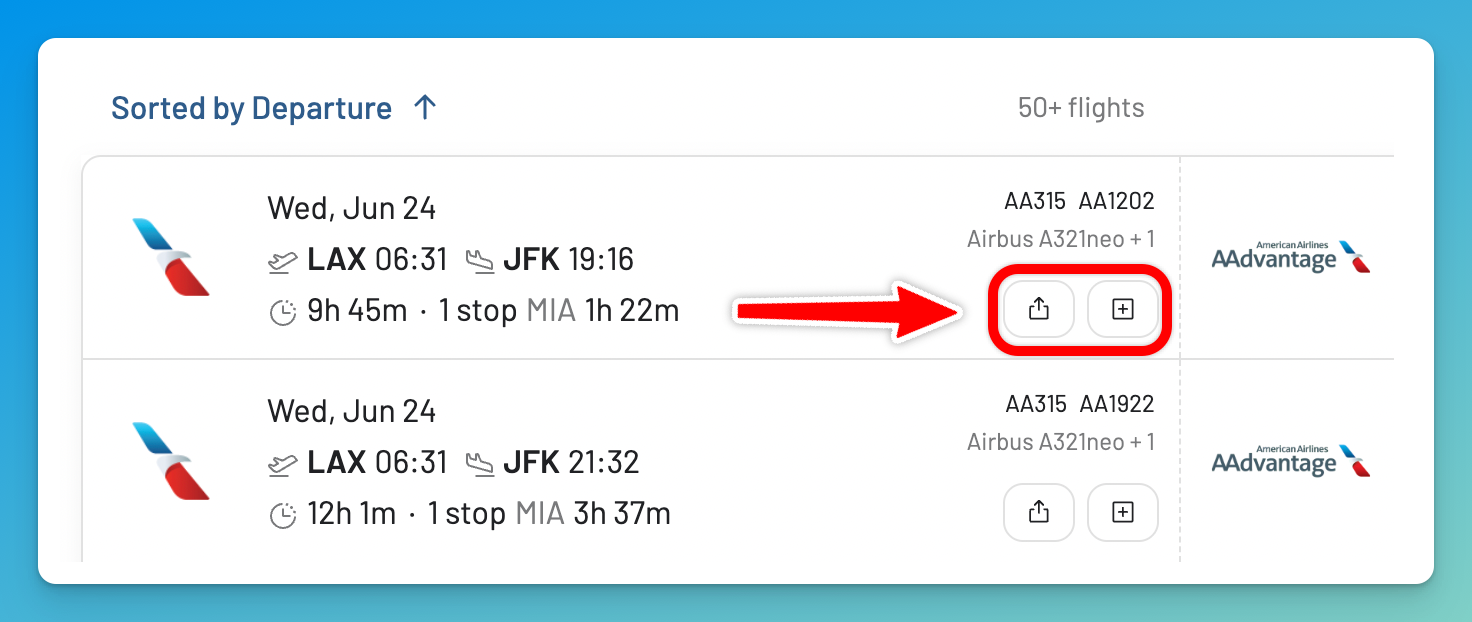
Found a flight worth sharing? We’ve made it easier to Share flights, or add them to the Journey Planner. Use it to send a flight to friends, family, or whoever you are travelling with, so everyone can look at the same option.
Alert Emails Match, Too
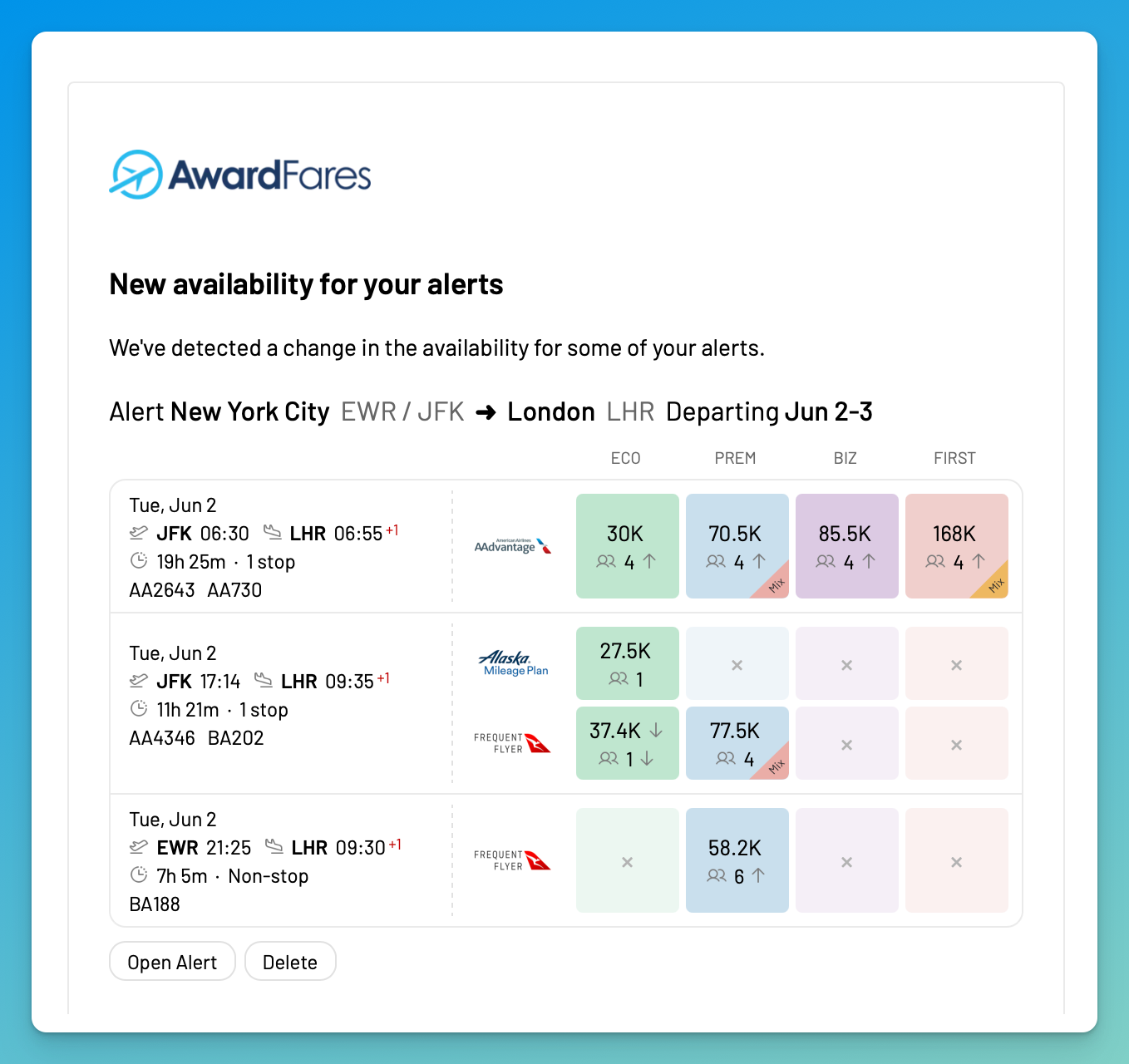
We have also given alert emails the same look. When one of your alerts finds new availability, the email now uses the same cards and colour-coded cabin tiles as the flight list, so what arrives in your inbox matches what you see on the site. The way alerts work has not changed, but the next alert email you receive will have the new design.
Read More

Find & Monitor Award Flight Availability
Use AwardFares to instantly search multiple frequent flyer programs. Find available award seats, set up alerts to monitor availability, check flight schedules, view seat maps, and more—all in one place.