 Aeromexico Rewards
 Air Canada Aeroplan
 American Airlines AAdvantage
 Atmos Rewards (Alaska/Hawaiian)
 Azul Fidelidade
 Delta SkyMiles
 Etihad Guest
 Finnair Plus
 Flying Blue (AF/KL)
 GOL Smiles
 Jetblue TrueBlue
 Qantas Frequent Flyer
 SAS EuroBonus
 Turkish Miles&Smiles
 United MileagePlus
 Virgin Atlantic Flying Club
 Virgin Australia Velocity
Looking for an AwardTool alternative? I use AwardFares when my trip revolves around flights. I can search, compare booking programs, watch for seats, check schedules and Seat Maps, and save the flights in one Journey.
AwardTool covers more types of award travel. It combines live flight Search and Panorama discovery with hotels, deals, First Class Explorer, alerts, Seat Maps, and business APIs.
The main difference in AwardFares vs. AwardTool is what happens after I find a flight. In AwardFares, I can monitor it, inspect the aircraft and cabin, and keep it with the other flights in my trip.
AwardFares vs. AwardTool: My Short Answer
- I use AwardFares when separate flight searches must become one trip: I can compare booking programs, keep alternatives, monitor what is missing, and arrange the useful segments.
- AwardTool reaches beyond flight search: hotel awards and enterprise APIs have no AwardFares equivalent, while Deals and First Class Explorer add specialist discovery paths.
- AwardTool Search and Panorama answer different questions: Search requests current flight results; Panorama opens collected route data across a much larger field.
- AwardTool uses several types of limits: entries, travel periods, route data, and Panorama ranges measure different things. The Pro page advertises 100 advanced alerts with SMS; its alert guide lists a different limit, detailed below.
Disclosure
This guide is written, reviewed, and published by AwardFares. AwardFares is one of the products compared.
AwardFares: Keep the Whole Flight Search Together
I use AwardFares Search when I have points in more than one supported program. The booking options stay under the flight instead of appearing in separate result lists. When the program provides the data, I can compare the mileage price, taxes, available award seats, and freshness in the same place.
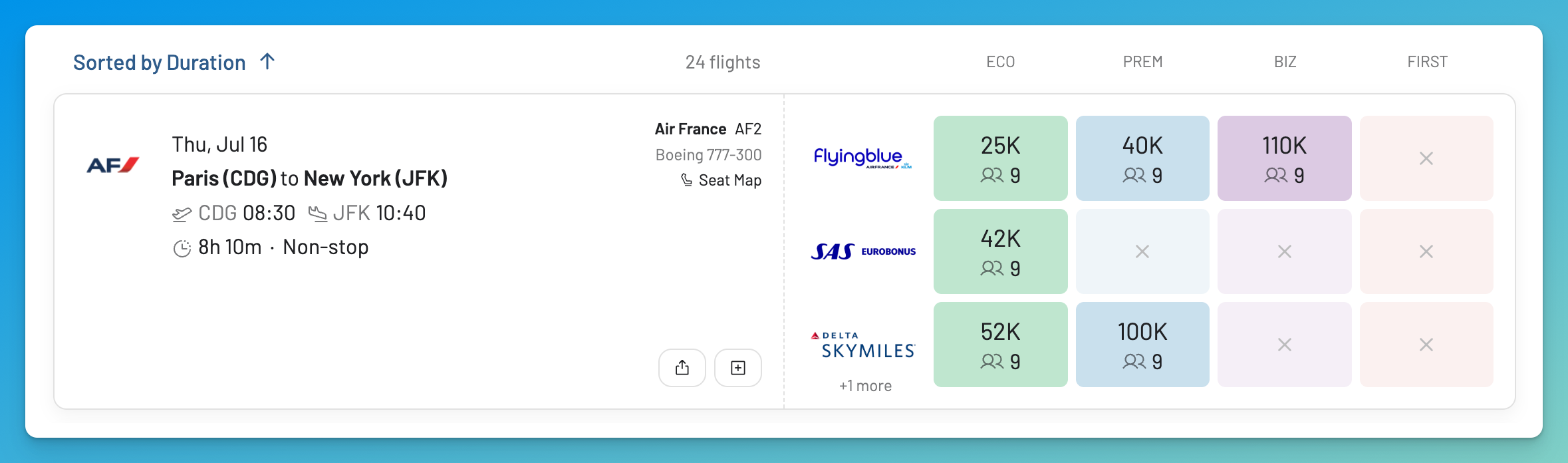
One Air France flight, three visible booking programs, and a different mileage price in each. This is the comparison I want before moving transferable points.
What makes the product distinctive is what I can do next:
- If my dates are flexible, Timeline View shows nearby days without making me start again.
- If I can travel to several places, Broad Search shows recently found availability by country, continent, or award zone.
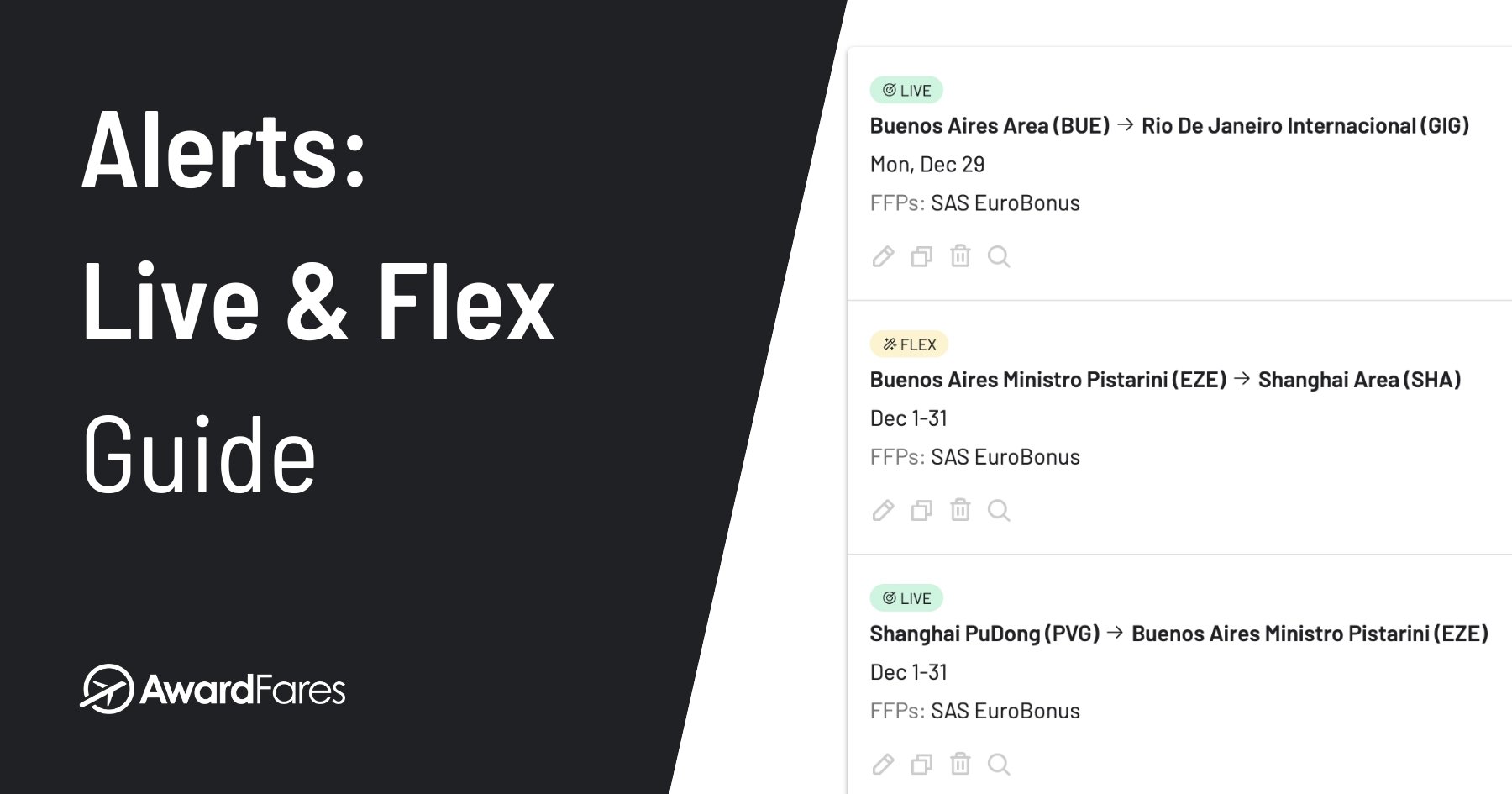
- If nothing works today, Live and Flex Alerts monitor a specific search or a wider set of options.
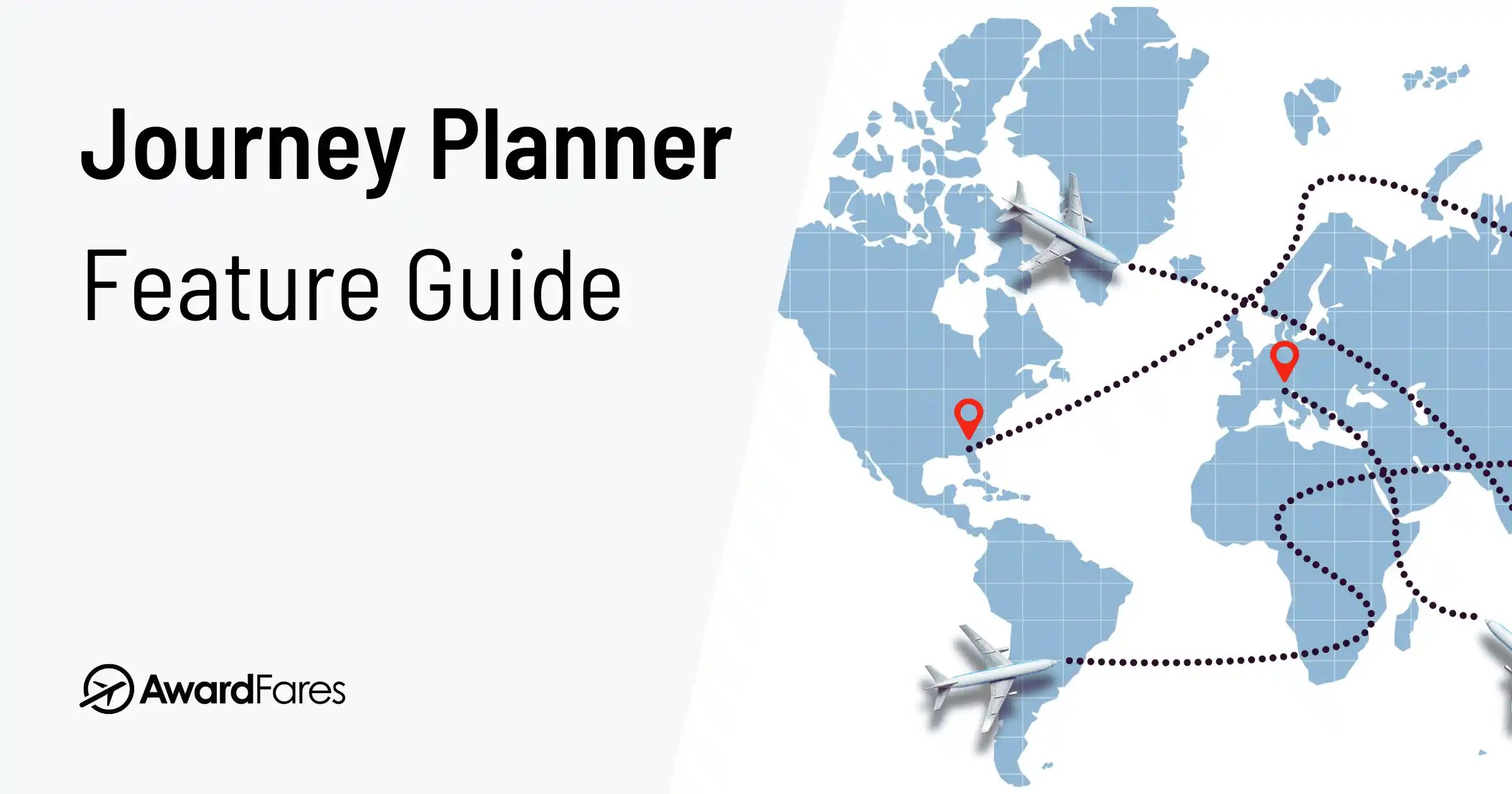
- If several flights could work together, Journey Planner keeps those legs in a named, shareable itinerary.
- If the operating pattern or aircraft matters, Flight Schedules add future schedules and booking class counts where supported.
- If the cabin matters, Seat Maps show the layout and the airline’s available, blocked, and occupied assignment labels.
AwardFares currently lists 17 searchable loyalty programs. Check the live program directory before choosing a tool; no feature compensates for a missing mileage currency.
AwardTool: Live Search, Discovery, Hotels, and APIs
AwardTool covers several award travel tasks under one name. The important detail is that its live Search and Panorama work differently.
Live Search and Panorama
Live flight Search begins with defined inputs. It supports one way and round trip searches. Its Multi-City Codes are saved airport groups that can be entered in one origin or destination field; they do not build a trip with several legs. The search form also accepts several airport codes, a date range, programs, cabins, and up to 36 route and date entries. Free and Pro apply different date periods to those entries.
In August 2026, AwardTool supported 28 major loyalty programs. Check the exact program in Search before choosing a plan.
Panorama is the discovery side. It uses collected availability across tracked routes, which makes it useful for scanning regions and longer periods quickly. The available routes and the time each result was collected still matter.
Live Search and Panorama can lead to the same flight, but they do not find it in the same way.
Hotels, Specialist Tools, and Business APIs
AwardTool’s hotel search accepts a destination and dates. It also has yearly hotel award calendars and hotel alerts. Other tools include Deals, First Class Explorer, Mega Search, transfer guides, live Seat Maps, and United upgrade alerts.
AwardTool also offers business APIs for live flight Search, Panorama, hotels, and Seat Maps. AwardFares does not offer hotel search or a public developer API. These are real AwardTool strengths, but they solve different problems from the flight planning I do in AwardFares.
AwardFares vs. AwardTool by Task
| Start with this question | AwardFares approach | AwardTool approach |
|---|---|---|
| Which supported program should book this flight? | Compare program prices, taxes, quantities, and freshness under the flight | Run a live Search across supported programs |
| What happens if I move the date? | Read nearby dates in Timeline View | Change the dates in live Search; the inputs consume plan entries |
| Where could I go in this cabin? | Scan recently found regional availability with Broad Search | Explore Panorama, Deals, and First Class Explorer |
| Can something watch for me? | Create a specific Live Alert or a flexible Flex Alert | Create flight, Panorama, hotel, or United upgrade alerts |
| What does the cabin look like? | Open a Seat Map from the result or by itself | Open a live Seat Map |
| How do these separate flights form a trip? | Save and arrange them in Journey Planner; inspect Flight Schedules | Search the legs separately; Multi-City Codes group airports, not journey segments |
| Can I search hotel awards? | No | Use Hotel Search, yearly calendars, and alerts |
| Can my company integrate the data? | No public API | Request enterprise flight, Panorama, hotel, and Seat Map APIs |
Three boundaries are easy to miss. A broad discovery result may not be current. An unassigned seat on a Seat Map is not proof of award space. A Multi-City Code groups airports in one field; it does not save several journey legs. Consumer plans and business API access are also separate AwardTool products.
What Does AwardTool’s 36-Entry Search Mean?
This is the most easily misreported AwardTool limit. Its FAQ defines one entry as one origin + one destination + one day.
For the simple one way examples in that definition:
| Inputs | Entry calculation | Entries used |
|---|---|---|
| One origin, one destination, four days | 1 × 1 × 4 | 4 |
| One origin, two destinations, nine days | 1 × 2 × 9 | 18 |
| One origin, two destinations, 18 days | 1 × 2 × 18 | 36 |
The entry count still does not tell you how far into the future those dates may fall or how much Panorama data is accessible. AwardTool currently uses four different concepts:
| Official concept | What it measures |
|---|---|
| Search entries | Origin, destination, and day combinations consumed by the live query |
| Search period | The span in which eligible travel dates may fall |
| Route data horizon | How far into collected Panorama route data the plan can access |
| Panorama range | How much of that collected data can be viewed in one request |
That is why “AwardTool searches 36 days” is not a safe general summary. It can be true for one origin, one destination, and entries covering one day each, but a second destination uses the allowance twice as quickly.
Where Search Inputs End and Trip Planning Begins
Comparing Programs for One Flight
AwardTool live Search can check a defined route across its supported programs. Each date, airport pair, and direction uses entries. Round trip search adds the return direction, while Multi-City Codes group airports inside one field.
How I Compare Programs for the Same Flight
I begin by selecting the AwardFares programs that match the points I have or can transfer. Search keeps their booking options under the flight, so I can compare the mileage prices and available seats without rebuilding the itinerary.
The Flight List guide explains every field. When an option looks right, I verify the whole itinerary, cabin, passenger count, mileage price, and taxes with that loyalty program before moving points.
Flexible Discovery Starts With Different Data
AwardTool has several ways to search when the route is flexible. Panorama scans collected routes across regions. Deals surfaces notable awards. First Class Explorer focuses on First Class seats.
The routes AwardTool tracks and the time each result was collected determine what appears. If Panorama shows no result, availability may still exist outside that collected data.
How I Move From Broad Search to Current Results
In AwardFares, I choose the view based on what I can change. If I know the route but can move the trip, Timeline View shows the dates and cabins side by side. If I can travel to several places, Broad Search scans recently seen results across a country, continent, or award zone.
Broad Search gives me the shortlist; an active Search gives me the current program comparison. I do not treat the broad result as the booking check.
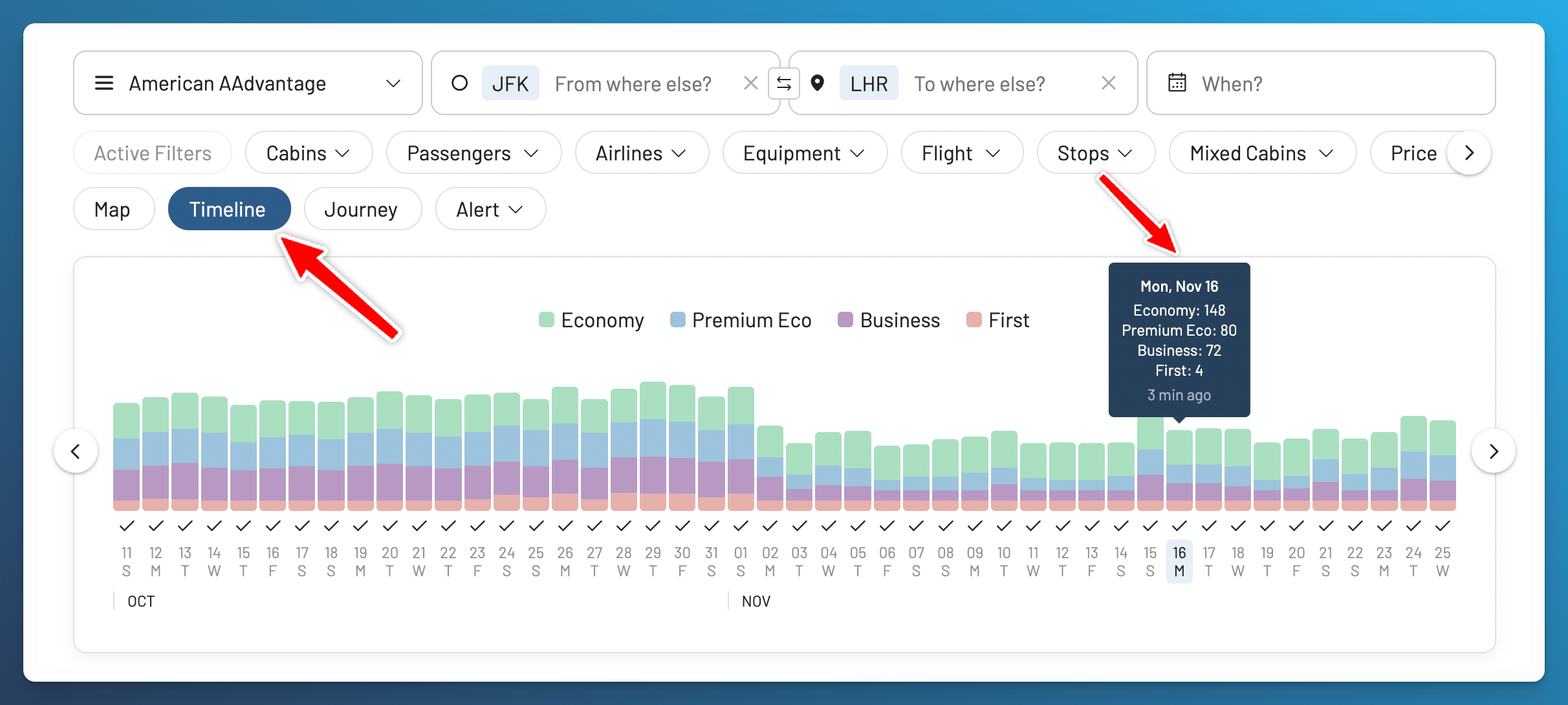
When the route is fixed, the Timeline shows whether moving by a few days changes the cabin or availability.
Alerts Can Watch Different Things
AwardTool can monitor flights, Panorama criteria, hotels, and United upgrades. It sends email notifications, adds SMS on Pro, and checks paid alerts more often. The Pro page advertises 100 advanced alerts with SMS; its alert guide lists a different limit, detailed below.
An alert does not reserve the result. I open the match, check it again, and only then decide whether to book.
How I Decide Between a Live and Flex Alert
I first decide whether the trip is specific or flexible before creating an AwardFares Alert.
- Live Alert: I can name the routes, dates, programs, and filters, so AwardFares can rerun that search automatically.
- Flex Alert: several places or dates would solve the trip, so I want matching opportunities from availability AwardFares discovers more broadly.
These are different monitoring methods, not two labels for the same alert. The Alerts guide documents their inputs and notification behavior.
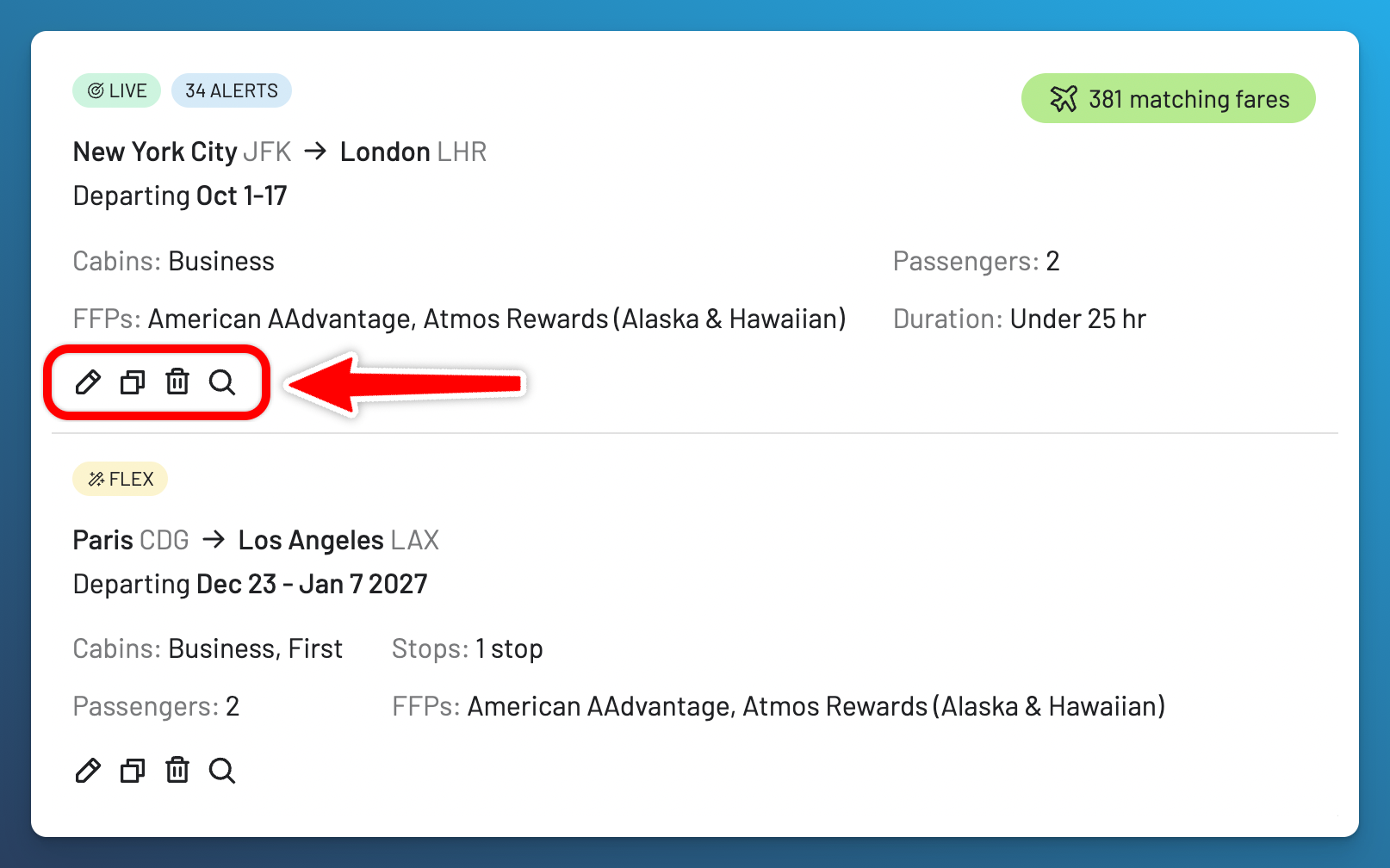
The alert manager keeps precise Live monitoring, broader Flex monitoring, and the fares each alert has matched in one place.
Grouping Airports Is Not the Same as Planning a Trip
AwardTool round trip search covers the outbound and return. Multi-City Codes group several airports in one origin or destination field. Neither is a workspace for saving several different flight options, rearranging them, and sharing the proposed itinerary. Its live Seat Maps add cabin and seat assignment context.
That distinction mattered during my EuroBonus Millionaire journey, which included 16 airlines and a long chain of separate tickets, reservations, and backup routes. During the planning, I used AwardFares Search to compare options on China Eastern, China Southern, XiamenAir, and Kenya Airways. The original itinerary still links to those searches.
Finding those flights did not build the trip for me. I still had to decide which segments could connect, where I needed a backup, and how the separate reservations fit together. That is the difference between grouping airports in a search field and planning a journey with several flights.
How I Keep Separate Flights in One Journey
This is the point where I send useful flights into Journey Planner. I can reorder the segments, keep alternative versions, mix programs, and share a view only plan instead of relying on browser tabs or screenshots.
I then use Flight Schedules to inspect operating patterns and aircraft, and Seat Maps for the cabin and assignment labels. A saved Journey remains a planning document: schedules can change, separate tickets stay unprotected, and each loyalty program may price the segments differently. The Journey Planner and Seat Maps guides explain those boundaries.
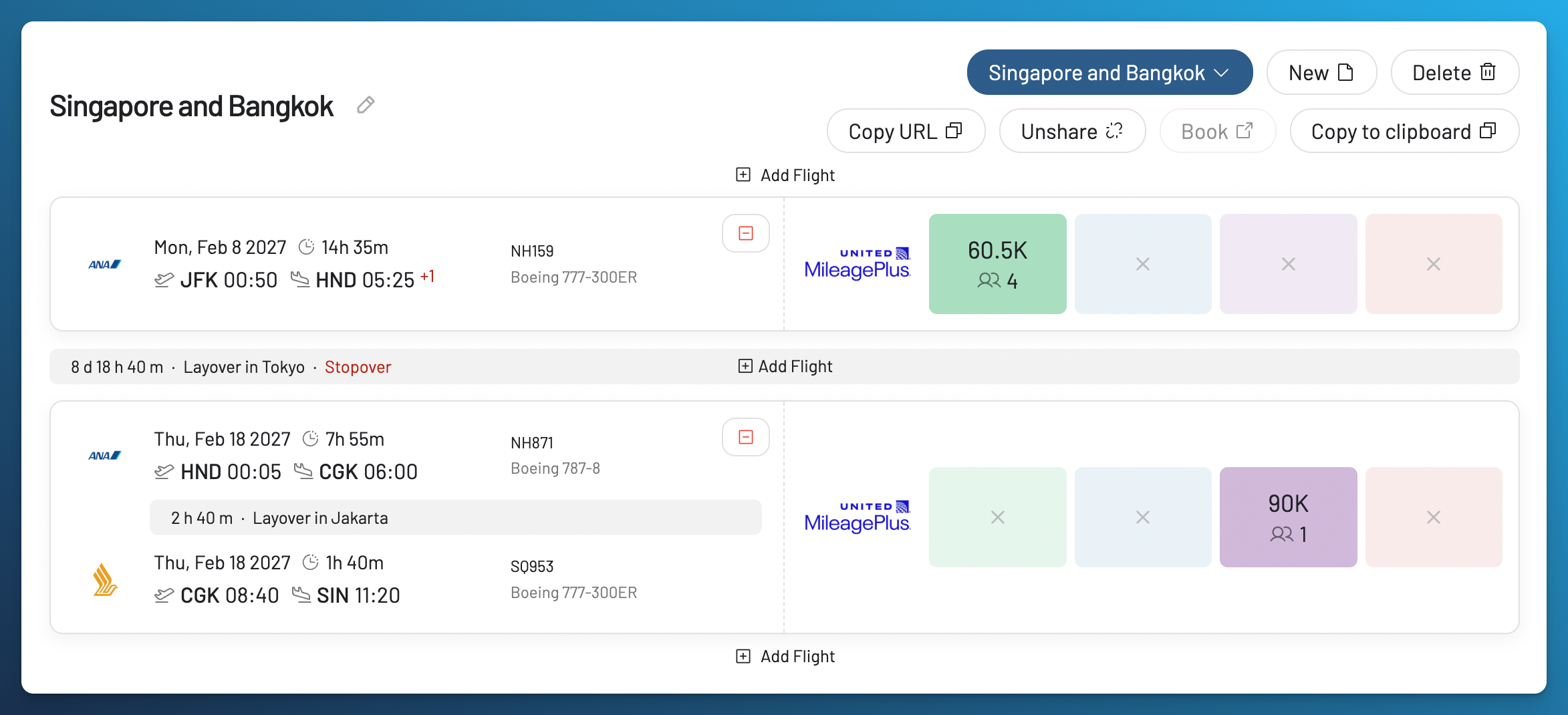
A Journey keeps promising flight combinations organized; it is not a ticket or a hold.
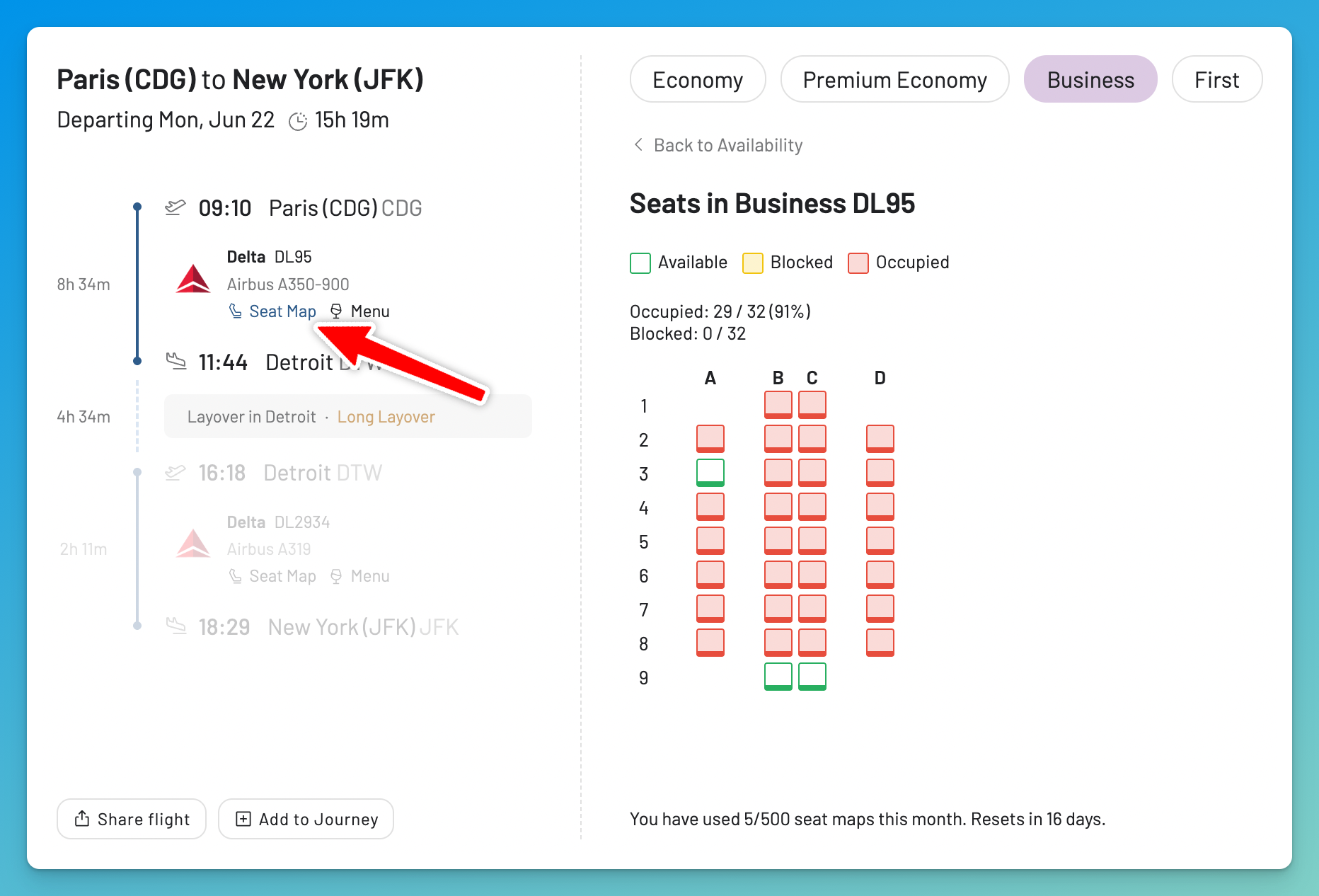
Use the Seat Map to assess the cabin. It does not show award inventory or how full the flight is.
AwardFares and AwardTool Plans and Limits
These are the facts most likely to change. Prices, promotions, plan rules, and regional offers should be checked again before subscribing.
AwardFares Basic, Gold and Diamond
Basic is the free tier. It includes a preview of existing availability for one program and five Seat Map lookups each month. Basic cannot launch a Live Search, create a Live or Flex Alert, keep an active search open, use Journey Planner, or open Flight Schedules.
Gold is currently $9.99 monthly or $99 annually. A search can include two programs, with up to seven active searches at once and 100 Live Searches available each day. The monitoring allowances are 30 Live Alerts and 100 Flex Alerts. Open results refresh hourly, monthly Seat Map lookups rise to 30, and both Journey Planner and Flight Schedules are included.
Diamond is currently $19.99 monthly or $199 annually. It raises one search to five programs and concurrent activity to 30 searches. Live Searches and Flex Alerts are unlimited, although some limits may be applied to prevent abuse. Diamond includes up to 500 Live Alerts. Open results can refresh by the minute. Journey Planner and Flight Schedules remain included, and the monthly Seat Map allowance becomes 200.
The trial is not Basic. After entering a payment method, a new customer can receive 24 hours on Gold or Diamond. Unless canceled, the chosen plan continues into billing. Read the live AwardFares prices and trial conditions before activating it.
AwardTool Free vs. Pro
AwardTool Free currently includes a four day live Search, round trip inputs, Multi-City Codes for airport groups, 90 days of route data, a 36 entry live Search within a 15 day period, one route request or refresh every three days, and three alerts. These are separate allowances even though they appear together.
Pro lists 36 live Search entries within a 365 day period. Panorama separately provides a year of collected data with a 90 day range. Pro also lists two prioritized route refreshes per day, unlimited Panorama alerts, unlimited live Seat Maps, and unlimited yearly hotel data and flight deals.
The AwardTool web page currently shows $9.99 per month. A first time subscriber promotion lowers the initial month to $7.99, with renewal at $9.99. The annual card shows $119.88 crossed out, $79.99 for the first term, and renewal at $99.99. The discount requires the advertised code. Promotions can change, so check the live web page before subscribing.
The Pro page advertises 100 advanced alerts with SMS, while the alert guide still lists 70. Unlimited Panorama alerts are a separate allowance. Confirm the active advanced-alert limit before subscribing if it determines your choice.
My Verdict: Why I Use AwardFares
I use AwardFares when I am building a trip around award flights rather than collecting separate search results. The important part is being able to compare the options, return to what is missing, and keep the useful segments in one Journey.
AwardTool includes hotel award search, Panorama discovery, specialist deal tools, and business API access. AwardFares does not cover those jobs.
For flight planning, AwardFares is my recommendation. It lets me return to the same trip as the options change instead of rebuilding it across tabs.
You can create an AwardFares Basic account and preview existing availability. If the trip needs a live search, alerts, or a saved Journey, compare the AwardFares plans.
For a wider market view, historical context, and our research standards, continue with the 2026 award search tools guide.
Related Articles
Frequently Asked Questions
What Is the Best AwardTool Alternative?
AwardFares is my preferred alternative when separate award searches must become one trip that I can revisit, monitor, and share. Check the supported program directory first, because coverage can decide the question before features do.
What Is the Difference Between AwardTool Search and Panorama?
Search requests current results from defined flight inputs. Panorama explores collected availability across tracked routes and broader geography. A Panorama result is a lead whose collection time and coverage matter; it is not the same as a new live query.
What Does 36-Entry Search Mean in AwardTool?
One combination of an origin, destination, direction, and day equals one entry. A one way airport pair across 36 days uses 36 entries; one origin to two destinations across 18 days also uses 36. The entry count is separate from how far into the future the dates may fall.
Does AwardTool Have Seat Maps and Multi-City Codes?
Yes. AwardTool has live Seat Maps, round trip search, and Multi-City Codes. The codes group several airports in one origin or destination field. They do not build a trip with several legs like AwardFares Journey Planner, which stores and arranges separate flight options.
Can AwardFares Search Hotel Awards or Provide API Access?
No. AwardTool offers hotel search, yearly award calendars, hotel alerts, and business APIs for flights, Panorama, hotels, and Seat Maps. AwardFares concentrates on flight search and planning for travelers, with no hotel product or public developer API.
Are AwardFares and AwardTool Free?
Both have free access, but it works differently. AwardFares Basic includes a preview of existing availability and five monthly Seat Map lookups. AwardTool Free has separate limits for live Search, route data, refreshes, hotel calendars, and alerts. The 24 hour AwardFares trial of Gold or Diamond is separate from Basic and continues into billing unless canceled.
Methodology
Our firsthand product knowledge is limited to AwardFares. AwardTool facts came from official pages available without an account. We did not register, submit a search, call an API, measure performance or accuracy, or reproduce AwardTool’s interface or artwork. Its Terms of Use restrict competitive and commercial use.
This guide uses 28 supported programs and distinguishes the Pro page’s advertised alert allowance from the lower figure in its alert guide. Our award search tools methodology explains the wider research process.
Search coverage, prices, trials, alert counts, date rules, and product features can change quickly. We revisit this guide quarterly and after significant releases, changing the modification date only after the facts have been checked again.
Find & Monitor Award Flight Availability
Use AwardFares to instantly search multiple frequent flyer programs. Find available award seats, set up alerts to monitor availability, check flight schedules, view seat maps, and more—all in one place.